Receiving a Single Blanket Release Line

When your organization physically receives the materials or tools ordered on a blanket release, you need to create a receipt document that indicates what was received, who received it, and where it was received. It also changes the status of the blanket release line to “Received.”
This topic explains how to create a receipt transaction for one blanket release line. It may be more efficient to receive multiple lines using a receiving report. Please see Receiving Purchase Orders and Blanket Releases.
Note: If you receive a single line using this method, you will not be able to print this receipt transaction on a receiving report.

To Receive a Blanket Release Line

1.
From the site, select the Purchase Orders view.
2.
On the Open Orders tab, from the configuration list select Open Blanket Orders.
3.
4.
5.
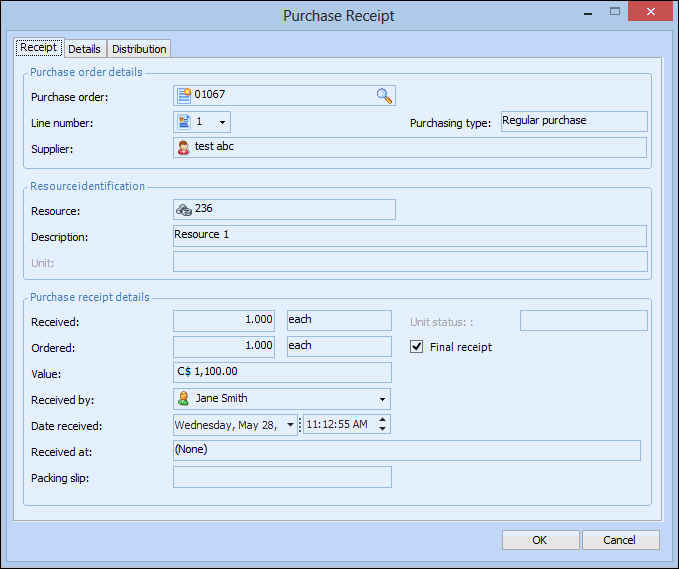
Select the Lines tab. Right-click on the line you are receiving and select Receive. The Purchase Receipt dialog appears, open to the Purchase Receipt tab.
6.
7.
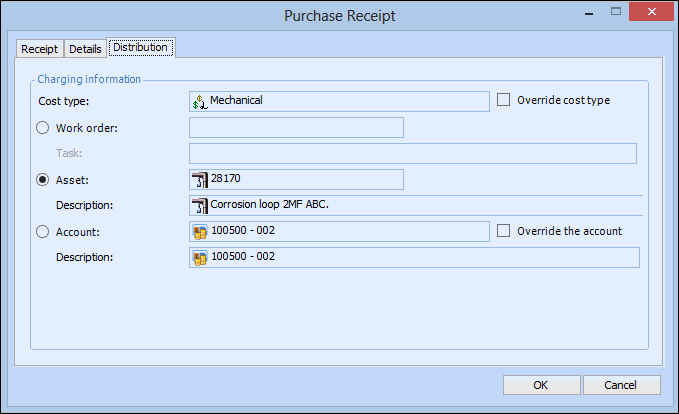
Select the Distribution tab.
8.
9.
Click OK to save and post the transaction.