Implementing a Recommended Strategy

When the recommended strategy is to perform an MTA2 or RCM2 analysis, you can link the analysis to a new or existing project to track the creation of the strategy development analysis. At the same time, you can create a request for the analysis, specifying its type, the asset to analyze, and so on.
When you are ready to create the strategy development analysis, process the request. Alternatively, you can cancel an analysis request or reopen a canceled or processed request.
This topic explains how:

To Create an Analysis Request

1.
Tip: The Request Analysis button is also available on the Properties view, Analysis tab.
2.
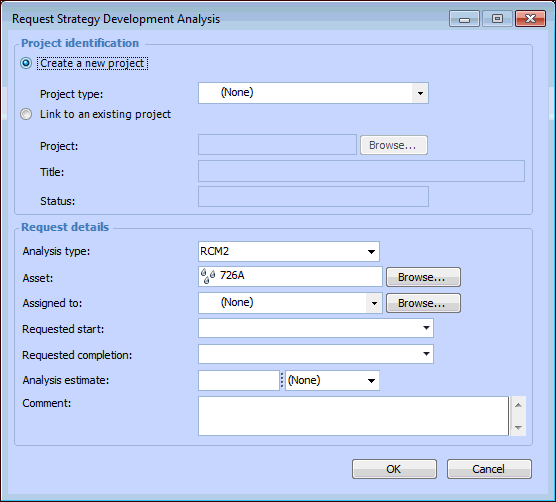
Click Request Analysis. The Request Strategy Development Analysis dialog appears.
3.
To link to a new project, select Create a new project. Select a project type from the list.
To link to an existing project, select Link to an existing project. Click the browse icon () to select the project and click OK. The project’s number, title, and status are displayed.
4.
5.
6.
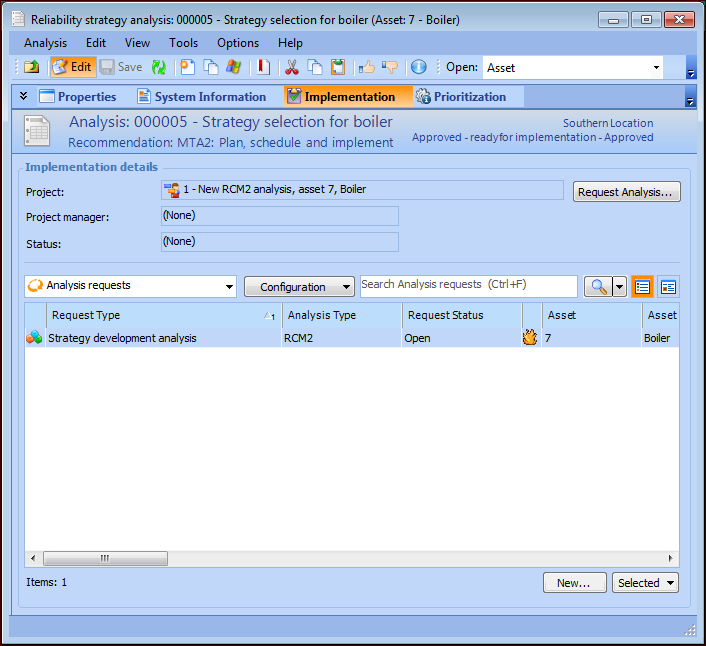
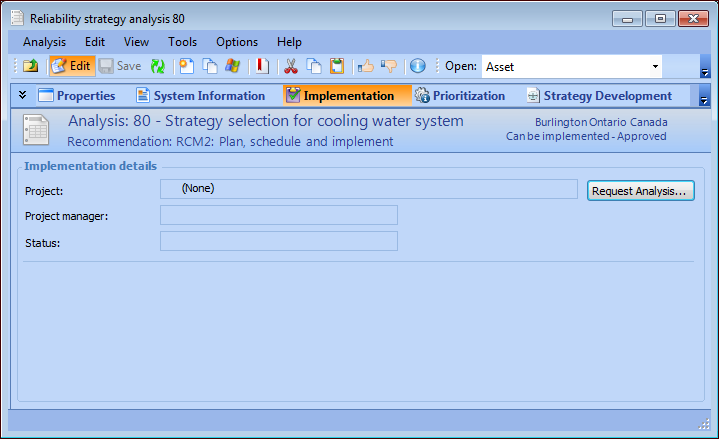
Click OK. The project and request for an analysis appear in the Implementation tab. For example:
7.
The project’s number and title are shown in the Project box. To work with the project, double-click the icon to open the Project window. See Creating Projects for more information.

To Process an Analysis Request

1.
2.
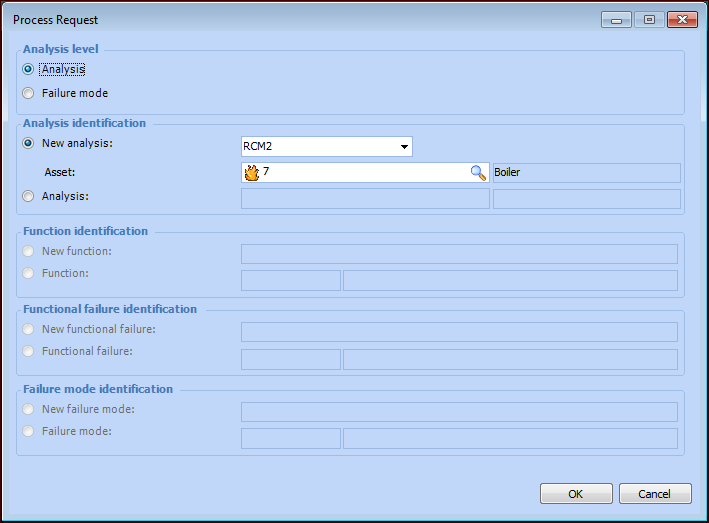
The Process Request dialog appears.
3.
Analysis – You can link to a new or existing strategy development analysis.
Failure mode - You can link to a new or existing failure mode in a new or existing strategy development analysis.
New analysis – Select the analysis type and identify the asset. The selected asset’s child assets in the physical hierarchy are automatically added to the new analysis.
Analysis – Click the browse icon () to select the analysis.
4.
Click OK. The Strategy Development Analysis window appears, where you can develop the analysis. In the Reliability Strategy Analysis window, Implementation view, the request status changes to “Processed”.
For information about creating strategy development analyses, see:

To Cancel or Reopen an Analysis Request
1.
In the Implementation view, select the analysis request.
2.
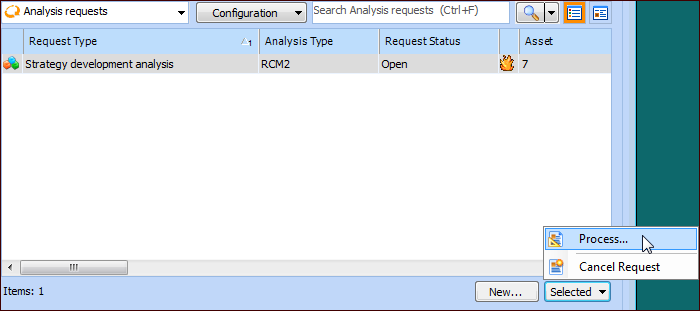
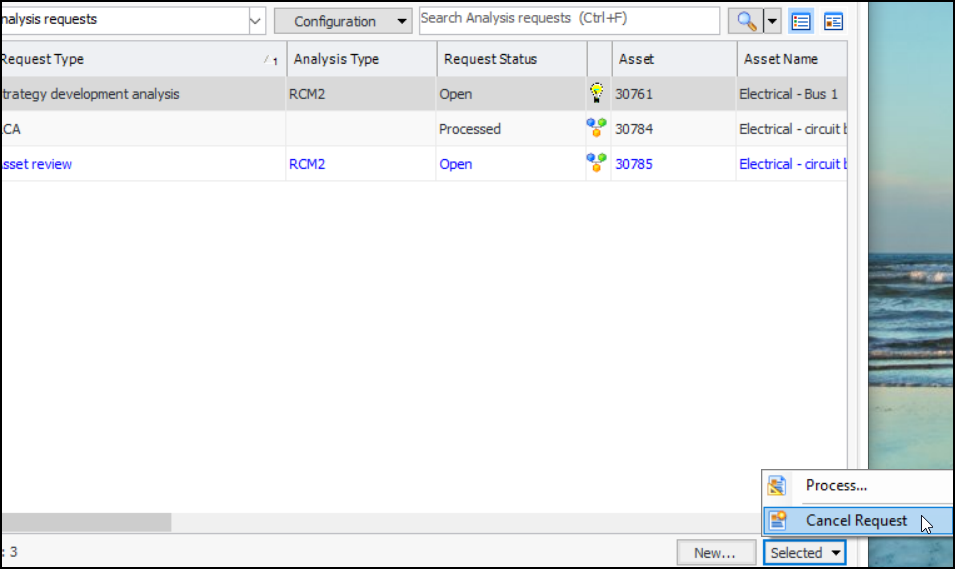
Click the Selected list and click either Cancel Request or Reopen. For example:
The request status changes accordingly.