Tracking the Escalation Process on an RSS Analysis

When the recommended strategy is to escalate the analysis to asset stakeholders, you can record the escalation process in APM. You can:
APM automatically records the dates on which escalation is recommended, started, and completed.
This topic explains how to track the escalation process on an RSS analysis.

To Track the Escalation Process

1.
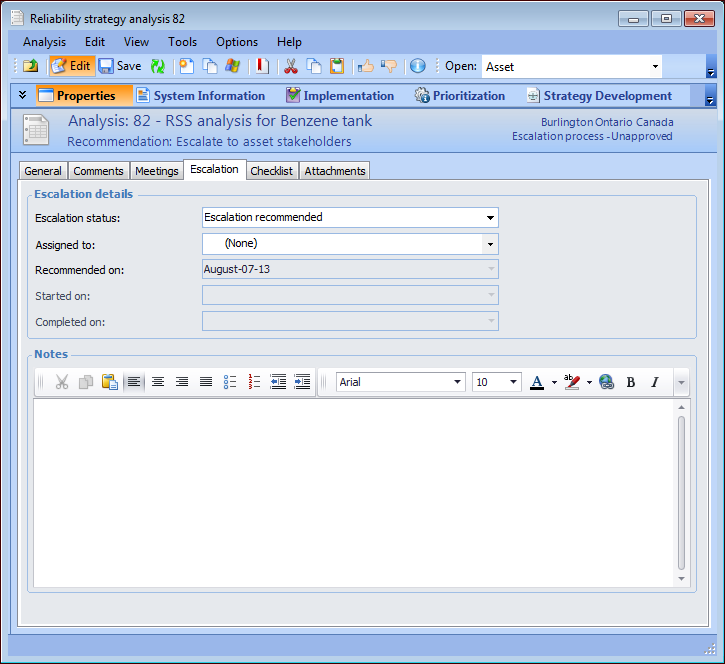
Open the RSS analysis and select the Properties view. When the analysis status is Escalation process, the Escalation tab is added to this view.
2.
Select the Escalation tab.
3.
In the Escalation status list, select “Escalation started”. APM automatically records the date in Started on.
4.
In the Assigned to list, select the team member responsible for managing the escalation process.
Tip: You can also press F3 in the Assigned to box to add a team member. In the Properties dialog that appears, select a member type, fill in the options, and click OK. The member is added to the Assigned to box.
5.
6.