|
Creating an RSS Analysis
Note: Management defines the limits of tolerability for relative risk and asset priority. For more information, see Setting Relative Risk and Asset Priority Thresholds.For information about processing an analysis request, see Using Projects to Track Analysis Requests.To Create a Reliability Strategy Selection Analysis
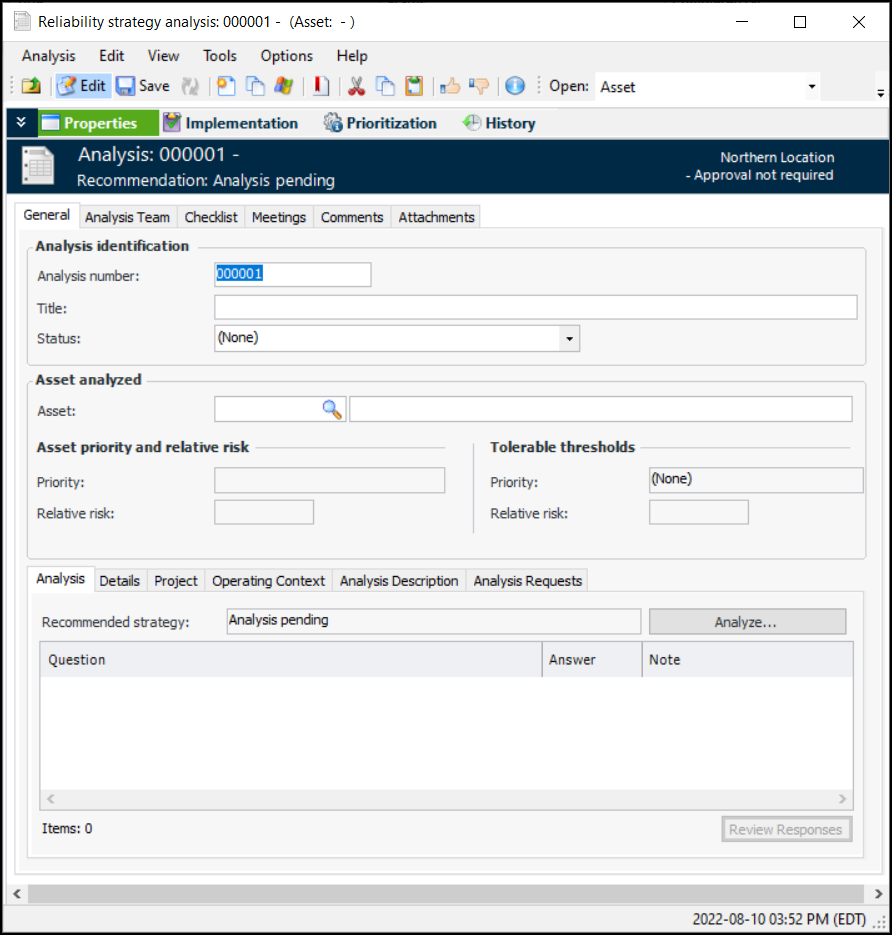
1. On the Site window, select the Strategy Development view and the Reliability Strategy tab. This tab lists the analyses that have been performed for the site.
2. Click New. The Reliability Strategy Analysis window appears.Tip: You can also create an RSS analysis from the asset. In the Asset window, select the Strategy Development view, Reliability Strategy tab. Click New. The Reliability Strategy Analysis window shows the asset information.Note: When the asset is selected, views are added to the window. The System Information, Prioritization, Strategy Development, Reliability Program, and Asset History views provide information about the asset, for example, its failures, work order tasks, work requests, and indicator readings.
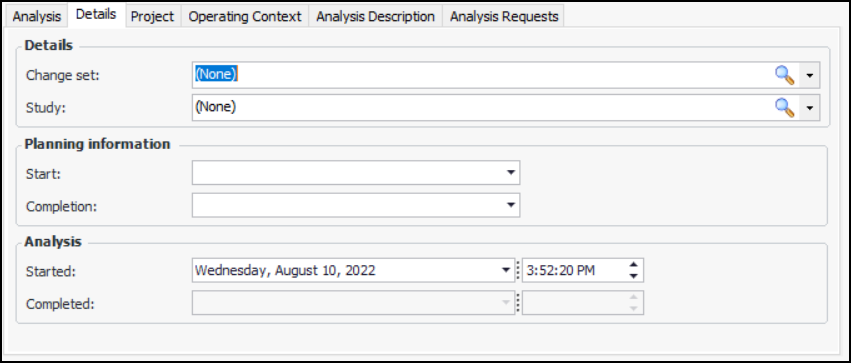
7. Select the Details tab.
11. On the Project tab, you can add the analysis to a reliability project and associate the analysis with a project task. Reliability projects are typically used to organize and track analyses and objects. They usually use project tasks rather than work orders.
12. You can use the Operating Context tab to select an operating context from the list and define the circumstances in which the asset is expected to operate.
13. Select the Analysis Description tab to record information about the analysis.
14.
15. Select the Analysis Team tab and select or create team members. Select the facilitator for the analysis from the list and assign roles. For information about creating members, see Adding Team Members to an RSS Analysis.
16. On the Comments tab, team members can record comments, add attachments, and review comments. For more information, see Entering and Reviewing Comments on an RSS Analysis.
17. Select the Meetings tab to record information about team meetings. For more information, see Recording Team Meetings on an RSS Analysis.
18. Select the Checklist tab whenever you wish to mark a standard checklist item as being performed. For more information, see Working with the RSS Analysis Checklist.
19. Select the Attachments tab to attach a document, note, or URL to the analysis. For more information about adding attachments, see Adding Attachments to Objects.