|
Using the RSS Questionnaire
Note: Management defines the limits of tolerability for relative risk and asset priority. For more information, see Setting Relative Risk and Asset Priority Thresholds.See Strategy Selection in the Asset Reliability Process to see the flow chart representing the selection process.When you have selected a strategy and saved the analysis, the analysis status changes accordingly. If appropriate, you can then request an analysis, as explained in Implementing a Recommended Strategy.To Use the RSS Questionnaire
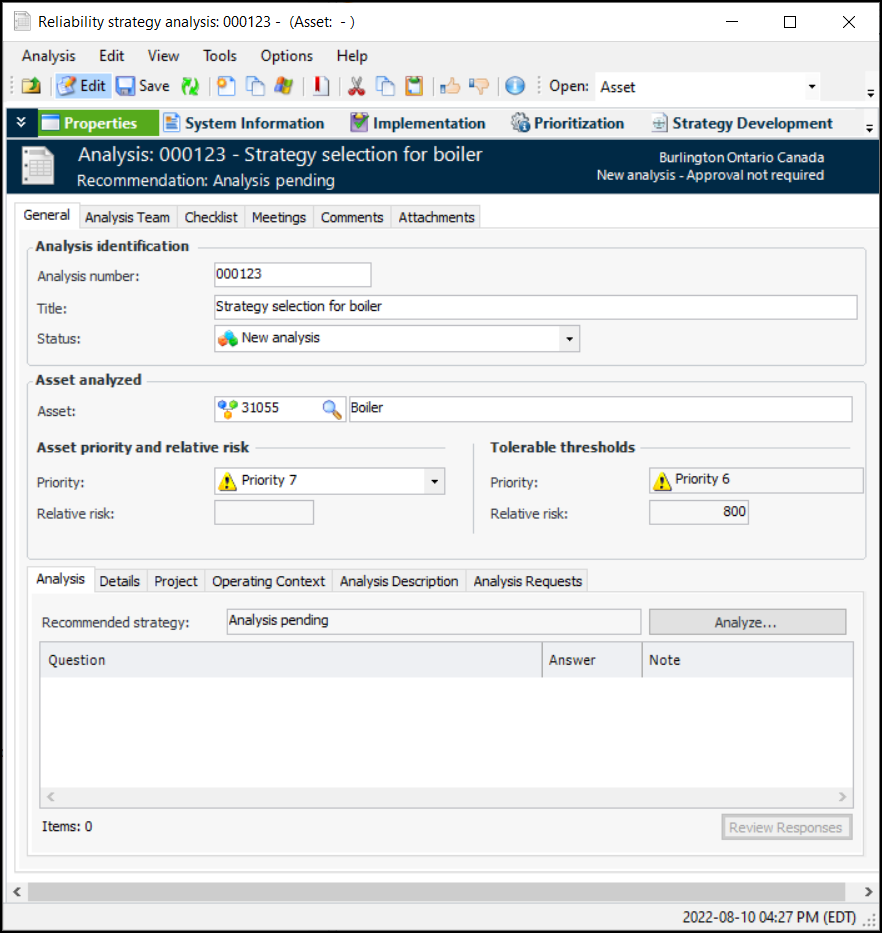
1. The Asset analyzed area displays information about the asset, including the asset priority and relative risk numbers that resulted from prioritization analysis. It also shows the tolerable thresholds for asset priority and relative risk. The results of the questionnaire will be displayed in the Analysis tab.Note: If the Analyze button on the Analysis tab is not enabled, check the analysis status; it must allow questionnaires to be completed.
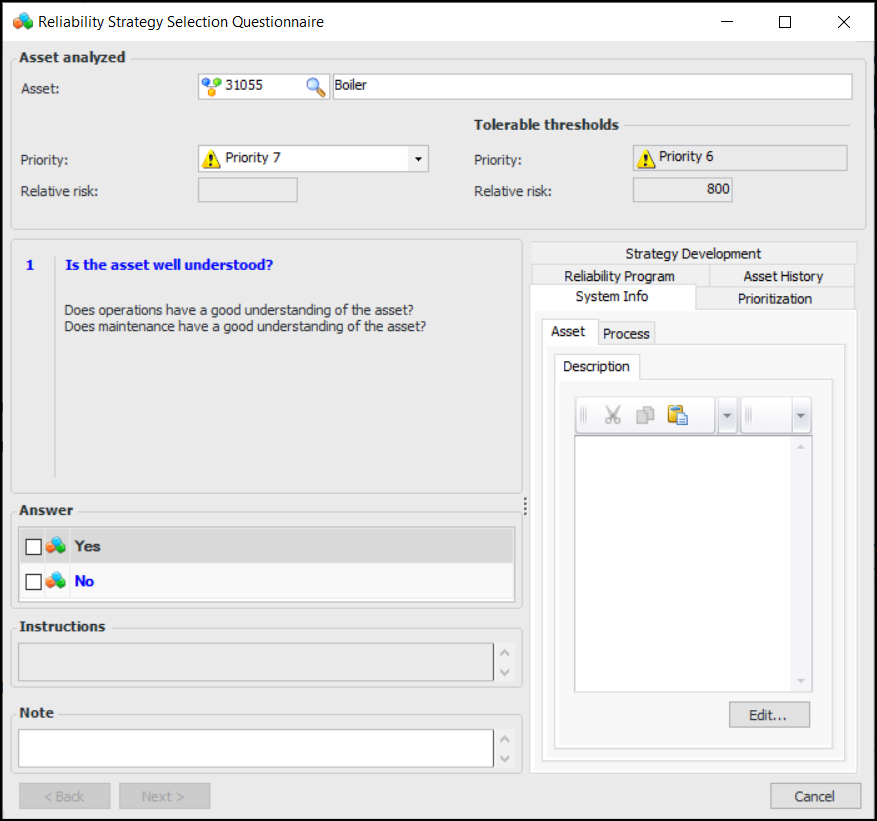
2. On the Analysis tab, click Analyze. The Reliability Strategy Selection Questionnaire window appears. For example:
3. Review the asset information as needed and answer the first question by selecting Yes or No. Enter notes, if you wish.
4. Click Next. The question that appears follows from your answer to the previous question. Continue to answer questions, enter notes, and click Next until the recommended strategy is displayed.Tip: To revise an answer, click Back to return to it. Change your answer and continue through the questions by clicking Next.
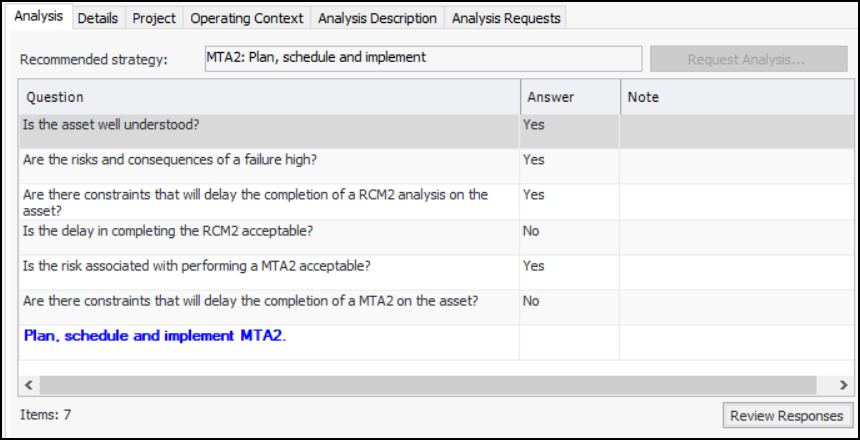
5. When the recommended strategy is displayed, click Finish. The questionnaire window closes. The recommended strategy, questions, answers, and notes are displayed in the Analysis tab. For example:To change any of your answers, click Review. The questionnaire appears, and you can go through the questions and revise your answers as needed.