Viewing RCM2 Failure Modes for Standard Tasks and Jobs

You can view information about where a standard task or job is referenced on failure modes as a corrective action or through an indicator assigned to the failure mode. You can also view tables listing standard tasks and jobs and how they are used.
This topic explains how:

To View a Standard Task’s Failure Modes

1.
On the site’s Reliability Program view, select the Program tab and then the Tasks tab.
2.
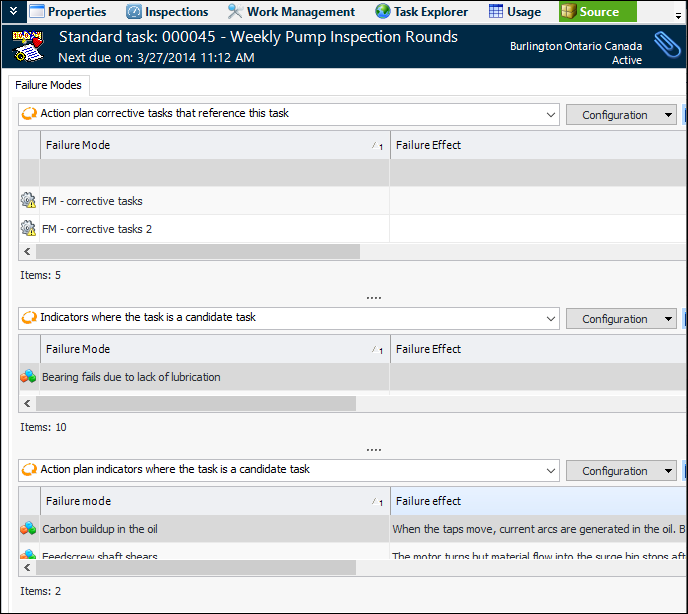
The Failure Modes tab displays the failure modes on which the standard task is referenced as a corrective action. The second table lists the failure modes that include indicators that reference the standard task. The third table lists the failure modes that reference the standard task and indicators.

To View a Standard Job’s Failure Modes

1.
On the site’s Reliability Program view, select the Program tab and then the Jobs tab.
2.
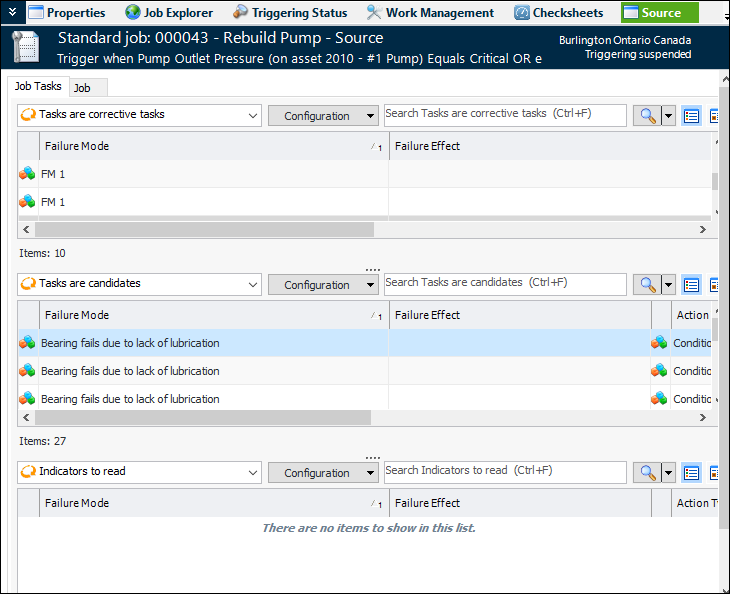
The Job Tasks tab displays information about the standard job and its tasks. The Job tab displays the failure modes where the job is assigned as a corrective task or candidate.

To View How Standard Tasks and Jobs are Used
1.
On the Site or Asset window, select the Reliability Program view, the Program tab, and the Tasks or Jobs tab.
2.
For each standard task, the table lists:
For each standard job, the table lists: