
Moving an RCM2 Template to a Different Site

You can move an analysis template from one site to another.
Note: If action plans exist that are based on the template’s action plans, the link between the template and action plans might be broken. This occurs if the template is moved to a lower level site or to a different branch of the site hierarchy.

To Move an Analysis Template to a Different Site
1.
On the site’s Strategy Development view and tab, open the template that you wish to move.
2.
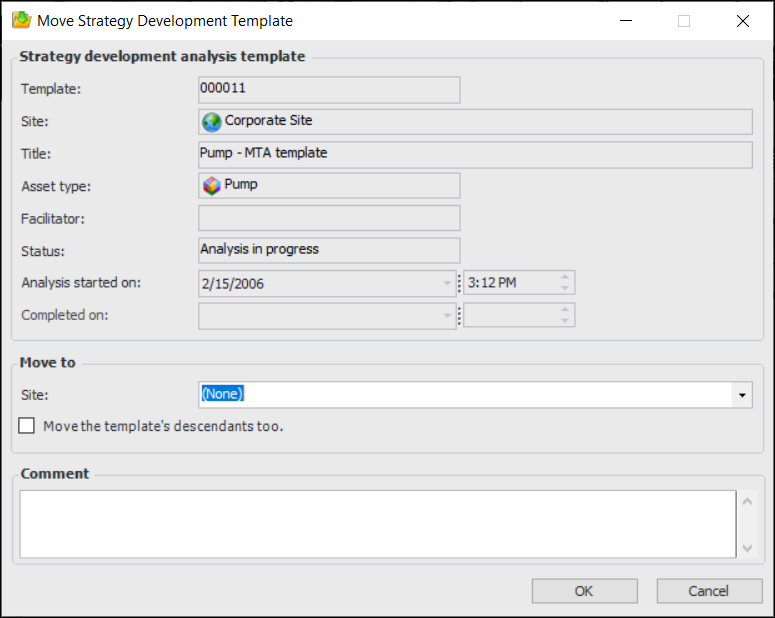
From the Tools menu, select Move To. The Move Strategy Development Template dialog appears.
The Strategy development analysis template area displays information about the template you are moving.
3.
4.
5.
In the Comment box, provide a reason or context for the move.
6.
Click OK. The template is moved to the other site and renumbered.