|
Creating an RCM2 Template
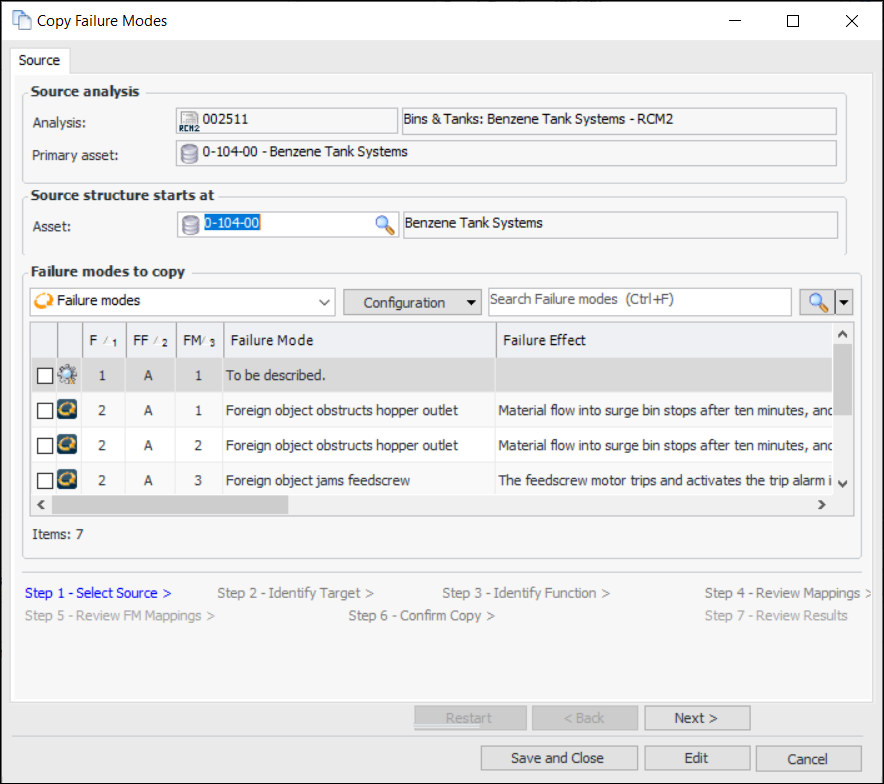
• The Assets tab is not available in the template’s Strategy Development Analysis window.You can organize analysis templates in a hierarchy that includes MTA2 and RCM2 templates. For more information, see Setting up a Hierarchy for RCM2 Templates.To Create an RCM2 Template Based on an Existing Analysis
2.
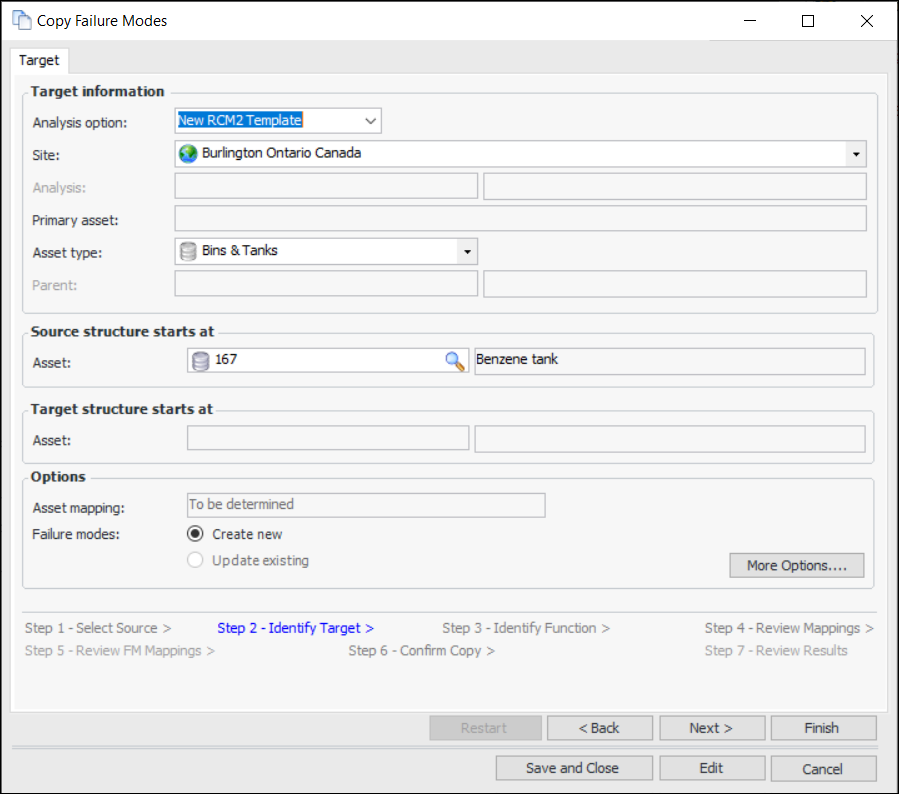
4. Click Next. The Identify Target step appears.
5. In the Analysis option list, select “New RCM Template”.
7. The Asset type box displays the asset type of the primary asset of the source analysis. Select another asset type, if appropriate.
8. If you wish to adjust mapping options for copying employees, trades, and maintenance groups, Click More Options. For more information, see Setting Mapping Options for a Failure Mode Copy.
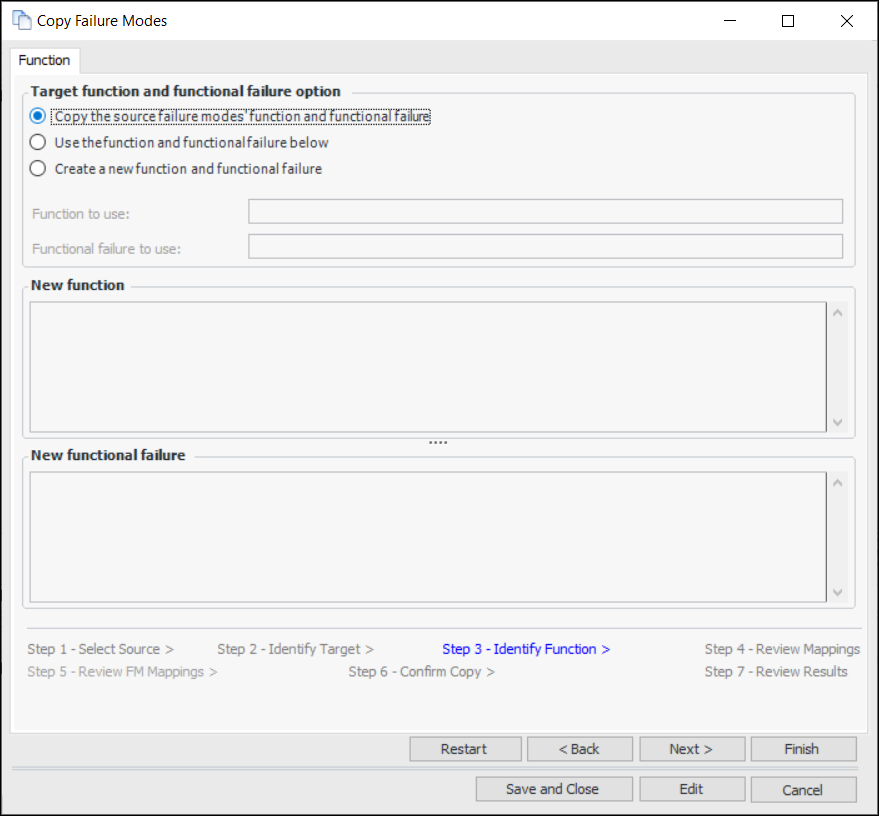
9. Click Next. The Identify Function step appears. For example:
• Copy the source failure modes’ function and functional failure – copies of the function and functional failure are created in the target analysis when the copy request is processed
• Use the function and functional failure below – select the function and functional failure from the target analysis
• Create a new function and functional failure – provide descriptions in the Function and Functional failure boxes
11. Click Next to view the Review Mappings step. This page displays matches for employees, trades, maintenance groups, and other resources.
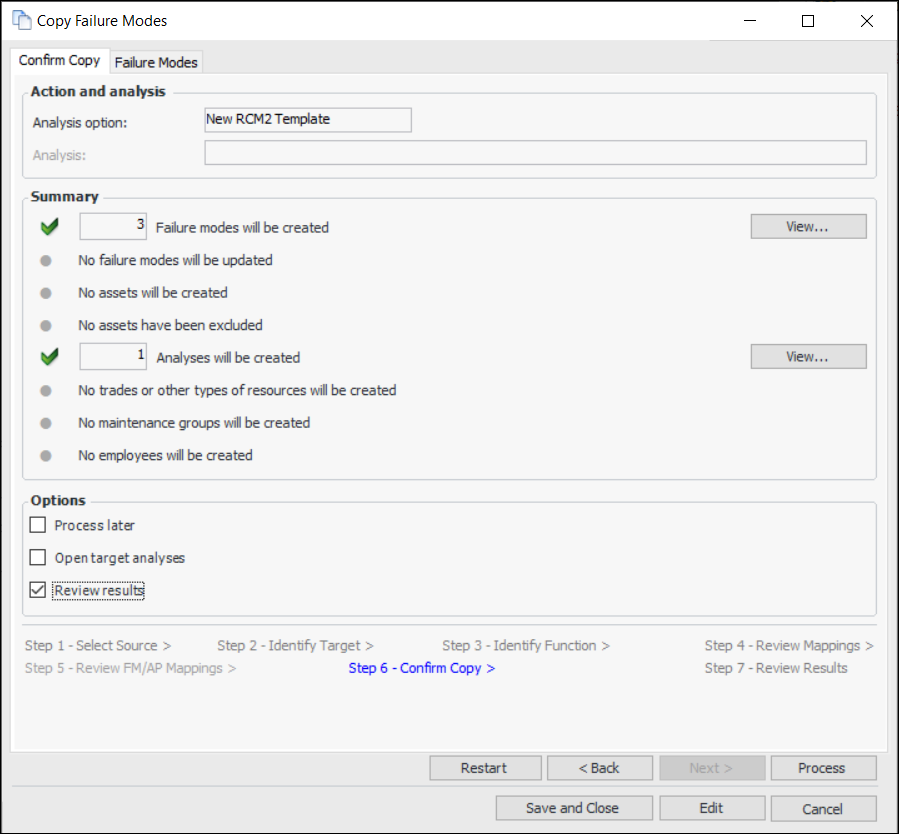
12. Click Next. The Confirm Copy step appears. For example:
13. Check the items that will be created or updated. If an incorrect copy request is processed, you will have to make the corrections manually. Click View to see more details about the items.
14. The Failure Modes tab displays information about the failure modes. If you wish to remove a failure mode from the list, right-click it and click Remove. Click Back to make adjustments on previous pages.
15.
16.
• If Process later is selected, a confirmation message appears. Click Yes to save the copy request to be completed later.
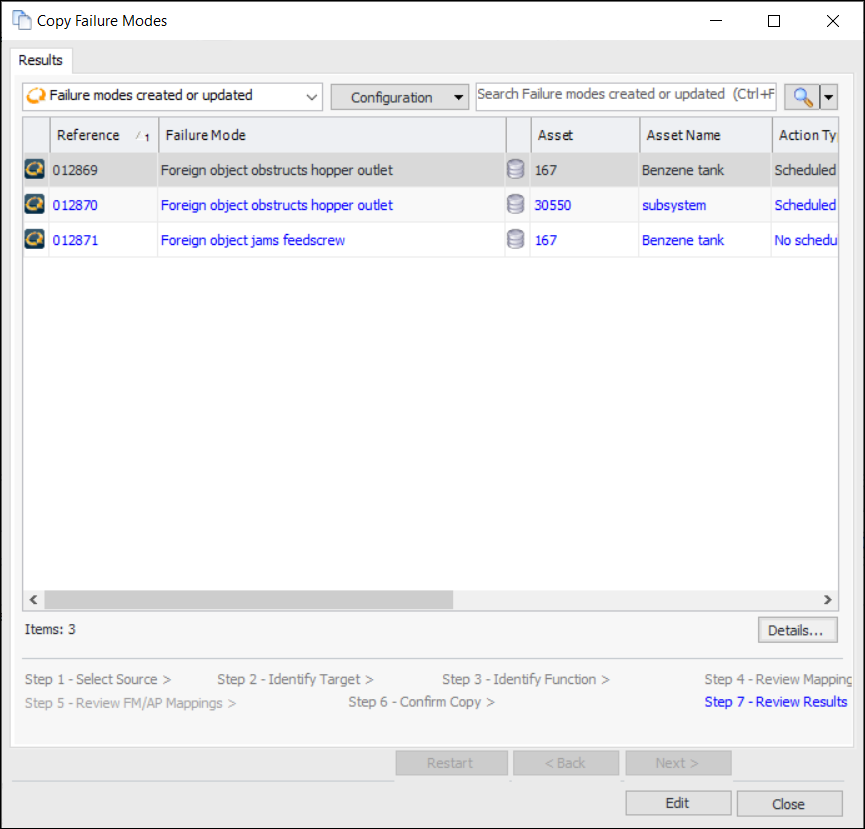
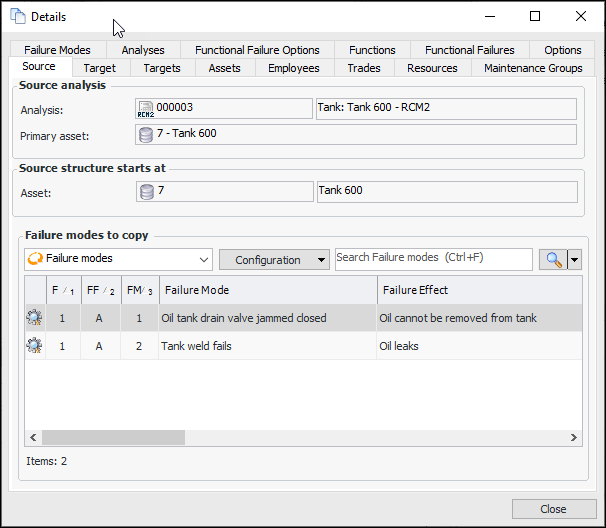
• If processing has not been deferred, the copy is completed. If Review results is selected, the Review Results step appears. For example:To view more information, click Details. The Details window displays information about the source and target asset structures, asset mappings, employees, trades, maintenance groups, failure modes, and so on. For example:When you are finished reviewing results, click Close. You can view the information again on the Copy Requests tab for the site or the analysis.
• If Open target analyses is selected in the Confirm Selections step, the Strategy Development Analysis window appears.To Create an RCM2 Template from Scratch
1.
2. In the list of configurations, select RCM2 Templates. The tab now lists all of the templates that have been defined for your site or its related sites.
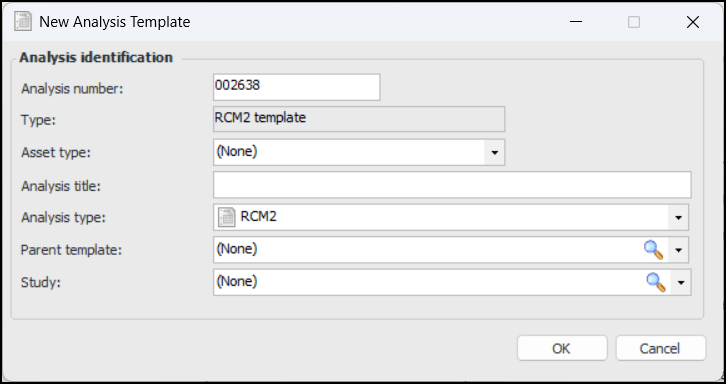
3. Click New. The New Analysis Template dialog appears.
6. In the Title box, the default name for the template follows this pattern:Asset type - RCM2 templateTip: You can also open the site’s Strategy Development view, Templates tab, and Asset Types tab. Select the asset type in the table, click the New list, and select the type of template to create. The Strategy Development Analysis window opens to the Properties view, General tab.
10. Click OK. The Strategy Development Analysis window appears. The Facilitation view, Info Worksheet tab is shown.
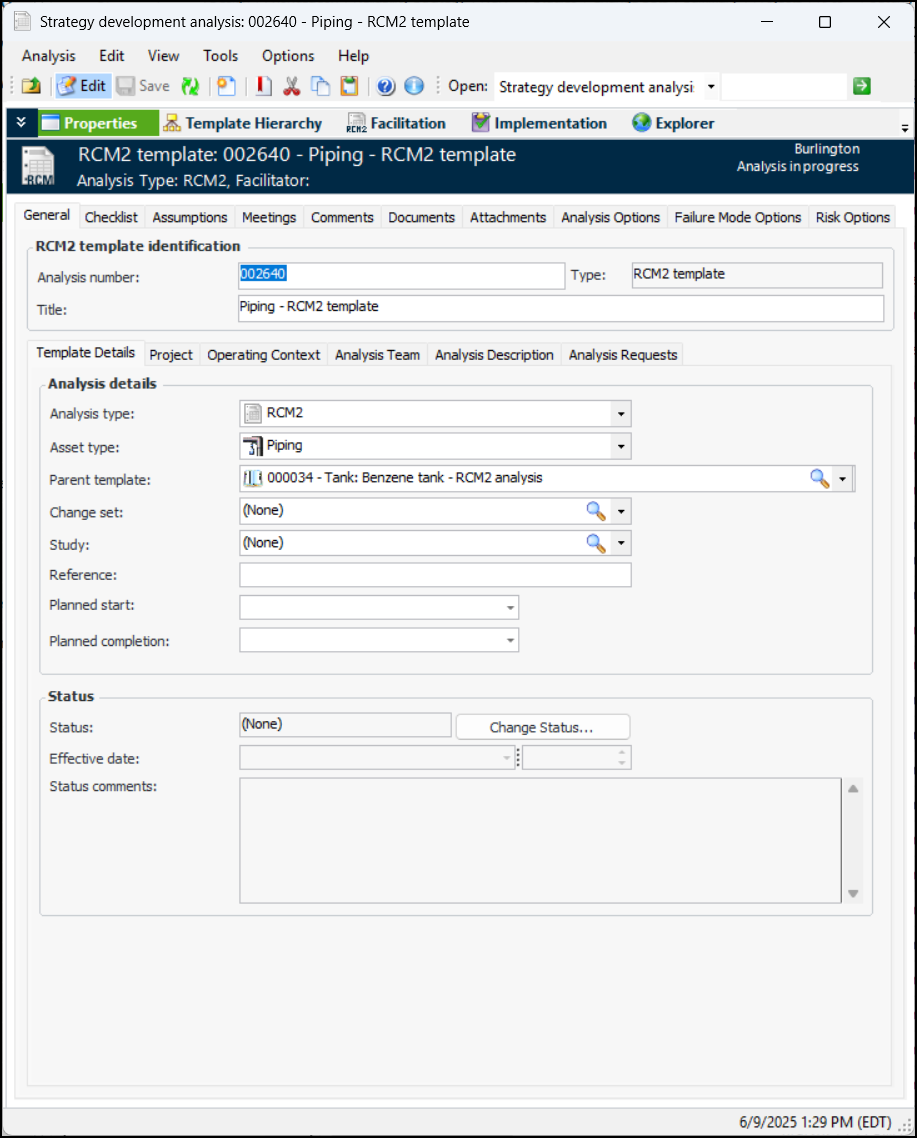
11. To set the general properties of the template, select the Properties view. The General tab displays information about the template. For example:
12. Select the Documents tab to browse for standard documents that are relevant to the analysis.
13. Select the Analysis Options tab to specify the sites where the template’s action plans are to be available. For example, if the template is available at the current site only, its action plans cannot be copied to analyses on other sites. You can also prevent the action plans from being copied by selecting Not available for use.
14. Select the Failure Mode Options tab and the Template Options tab. The Failure mode descriptions can be changed option is selected by default. Clear this option if you want failure mode descriptions to be read-only.