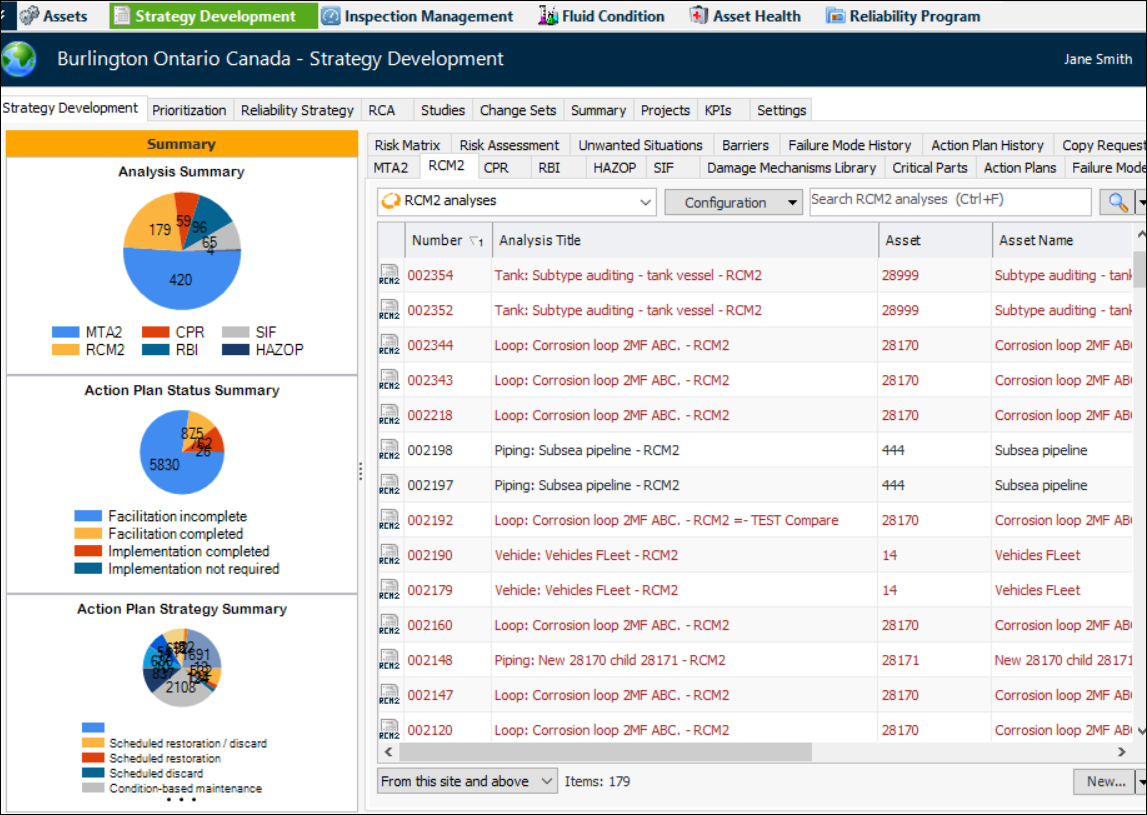
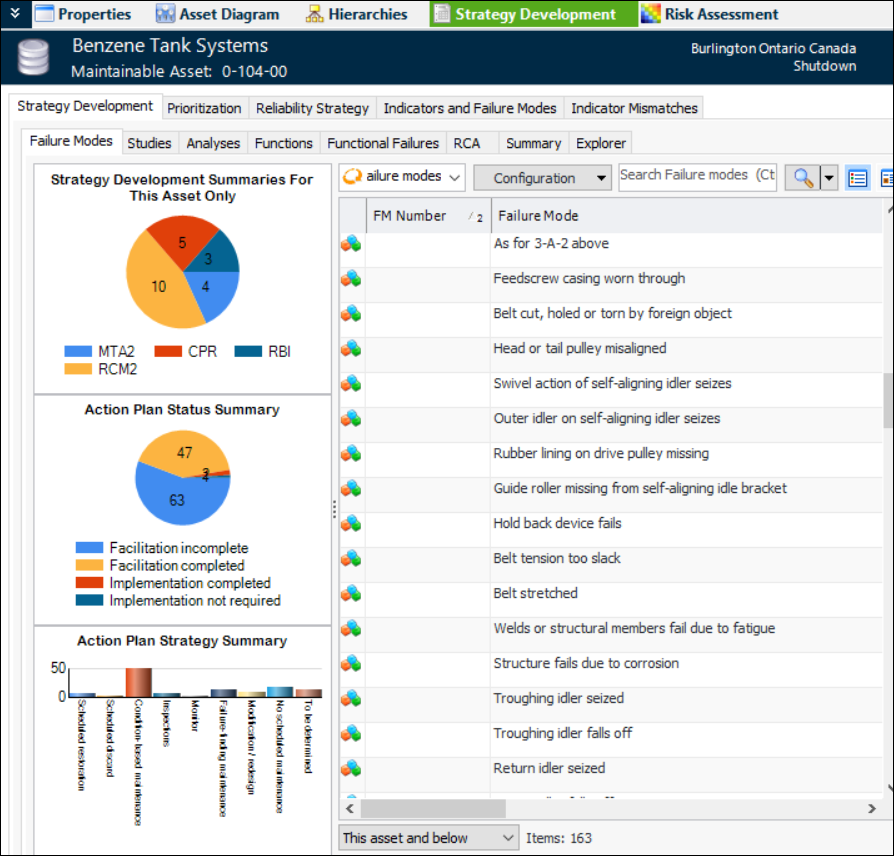
APM provides two ways to access analyses: from the site’s or the asset’s Strategy Development view. The views provide different types of information.
The site’s Strategy Development view contains tabs that allow you to review all of the site’s strategy development analyses and to view failure modes for all assets. For example:
Using the asset’s Strategy Development view, you can view its failure modes, studies, functions, functional failures, indicators, and the analyses where the asset is the primary asset. You can also view other analyses that include that asset’s failure modes. For example: