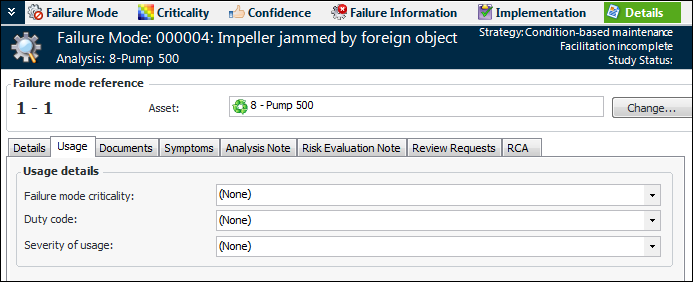
Using the Details view on the Maintenance Action Plan window, you can assign a failure type and classification to the failure mode, select an action plan status, and record usage details (criticality, duty code, and severity of usage). The
Details view displays information such as review requests and root causes.
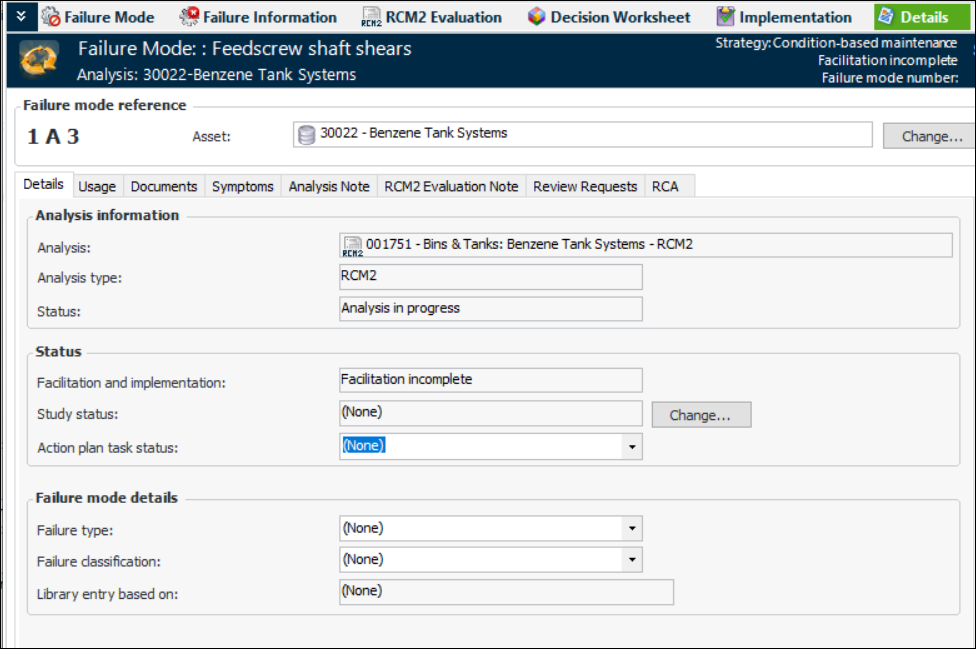
The Details view displays information about the failure mode’s analysis and status. For example:
The Status area shows the failure mode’s status in regard to facilitation and implementation. If action plan statuses have been defined for your organization, you can select a status from the
Action plan status list.
In the Failure mode details area, you can assign a failure type and classification to the failure mode. Failure types, along with failure classifications, allow failure modes and records to be grouped for easy identification. For example, useful failure types might be Electrical, Environmental, Mechanical, Operational, Safety, and so on. Examples of failure classifications are Lubrication, Operator Error, and Installation Defect.
Select the Documents tab to view and add standard documents to the failure mode.
Select the Analysis Note,
RCM2 Evaluation Note, and
Risk Evaluation Note tabs to review and add information.
If the failure mode was created as the result of an analysis request, select the Review Requests tab to view the request. You can double-click the request to open its Request dialog, where details such as the project number and analysis estimate are shown.
If the failure mode was created as a result of a root cause analysis, the RCA tab lists the root cause. You can double-click the root cause to open its Properties dialog, where the cause statement, solution, and messages are displayed.



 is enabled.