Calculating a Failure-Finding Interval for an RCM2 Analysis

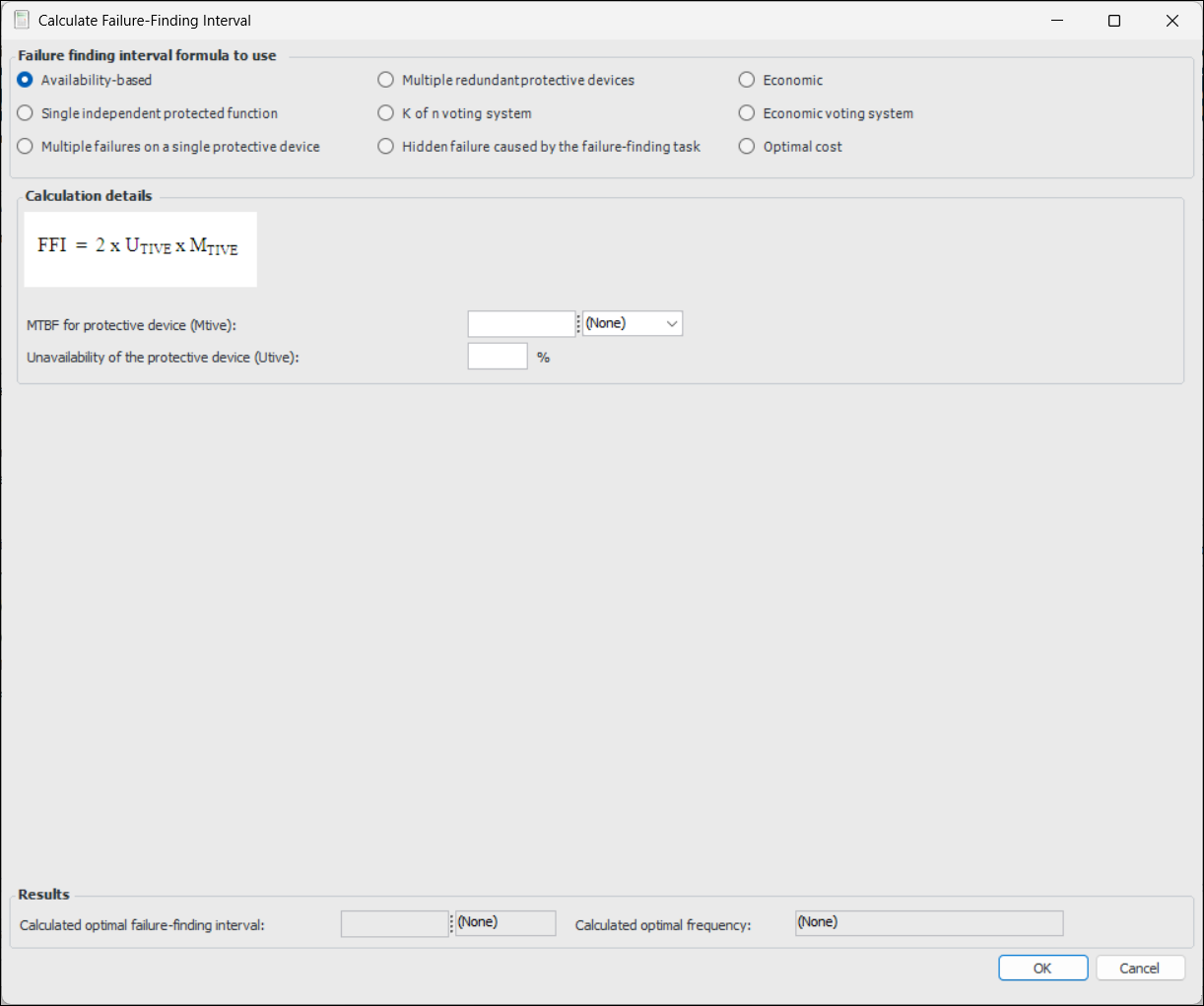
On an RCM2 analysis’ action plan, you can recommend a failure-finding maintenance action for a hidden failure and provide the failure-finding interval. A failure-finding interval is the length of time that it is considered safe to wait before performing failure-finding maintenance. The interval is calculated or estimated based on the desired availability and the frequency of failure of the protective device or system. Use the Calculate Failure-Finding Interval dialog to create an FFI.
Note: The failure-finding interval calculator is not available on secondary action plans.
Tip: After calculating the FFI, you can view the calculation inputs on the Facilitation view, Failure Data tab. Click the Failure Finding Information button to open the Failure Finding Info window.

To Calculate a Failure-Finding Interval

1.
On the analysis’ Facilitation view, double-click the failure mode to open the Maintenance Action Plan window.
2.
3.
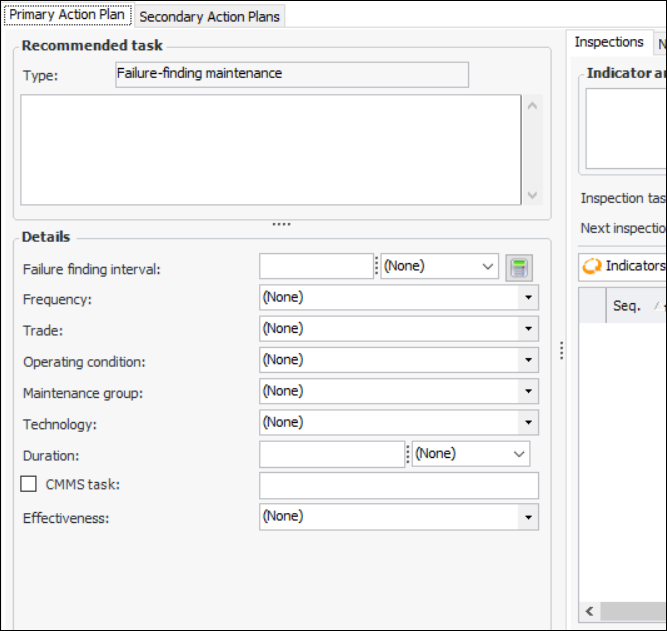
Select the Implementation view and the Primary Action Plan tab. For example:
4.
Click the calculator icon next to the Failure finding interval boxes.
5.
6.
If you select Optimal cost, see To Calculate a Failure-Finding Interval Based on Optimal Cost.
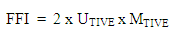
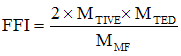
The following table provides a brief description of each formula and its inputs.
UTIVE = Unavailability of the protective device
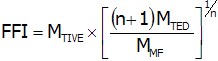
MTIVE = Mean time between failure for the protective device
MTED = Mean time between failure for the protected function
MTIVE = Mean time between failure for the protective device
MMF = Allowed mean time between multiple failures
MTED = Mean time between failure for the protected function
m1 = Mean time between failure for protective device 1
m2 = Mean time between failure for protective device 2
m3 = Mean time between failure for protective device 3
m4 = Mean time between failure for protective device 4
m5 = Mean time between failure for protective device 5
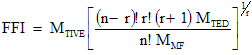
MMF = Allowed mean time between multiple failures
MTIVE = Mean time between failure for the protective device
MTED = Mean time between failure for the protected function
MMF = Allowed mean time between multiple failures
MTIVE = Mean time between failure for the protective device
MTED = Mean time between failure for the protected function
MMF = Allowed mean time between multiple failures
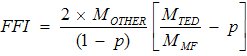
MOTHER = Mean time between failure caused by phenomena other than the test
MTED = Mean time between failure for the protected function
MMF = Allowed mean time between multiple failures
p = if P is the probability that the failure finding test will leave the device in a failed state, p (as a decimal) is the unavailability caused by the testing process
CM = cost of the multiple failure (cost per event)
CFF = cost of doing the failure finding task (per task)
MTIVE = MTBF of the protective device
MTED = MTBF of the protected function
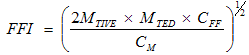
CM = cost of the multiple failure (cost per event)
CFF = cost of doing the failure finding task (per task)
MTIVE = MTBF of the protective device
MTED = MTBF of the protected function
7.
Provide the calculation inputs for the formula. When the inputs are supplied, the results of the calculation are shown in the Results area. The frequency closest to the failure-finding interval, without being longer than the failure-finding interval, is displayed.
8.
Click OK. The failure-finding interval is added to the action plan and the frequency is calculated and displayed.

To Calculate a Failure-Finding Interval Based on Optimal Cost

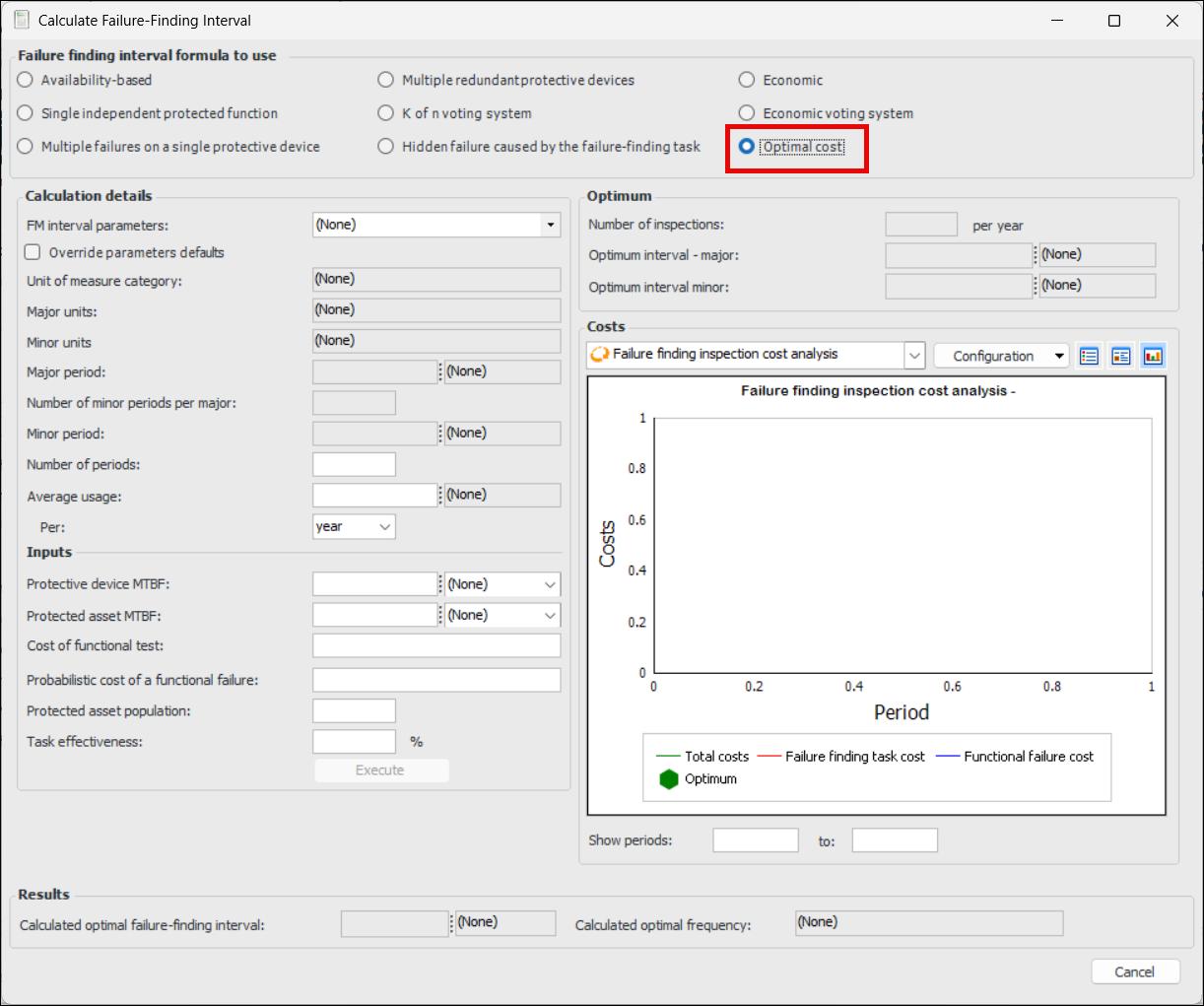
When you select Optimal cost, the Calculate Failure-Finding Interval dialog changes, as follows:
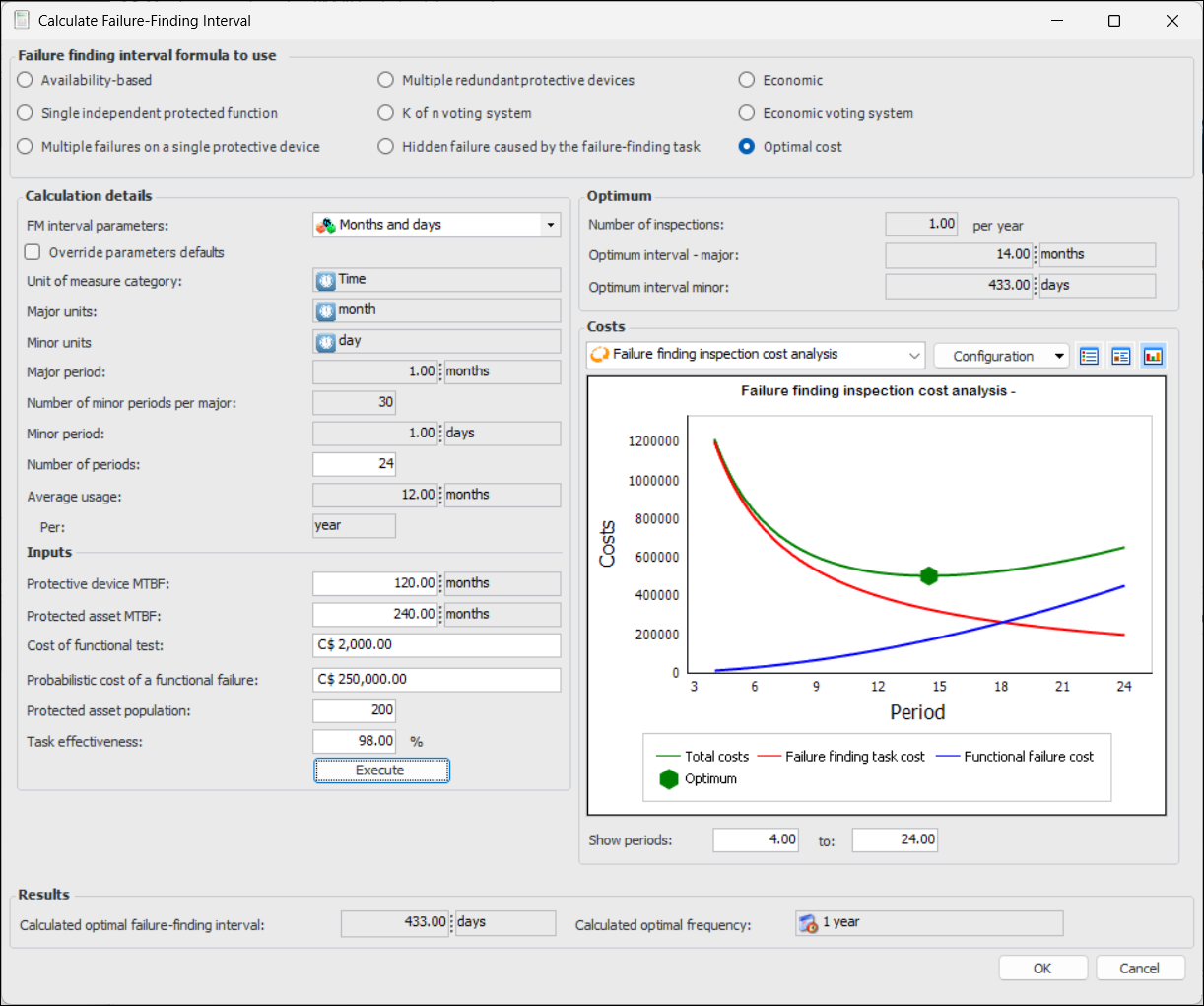
You can select predefined FM interval parameters, such as “Months and days”, to pre-fill the units of measure. Or you can override the parameter defaults to select other unit of measure categories. Then enter the inputs for your scenario, such as the cost of a functional failure, the failure finding task cost, the MTBF of the protected equipment and protective device. Then click Execute.
Here is an example using the parameter defaults of months and days:
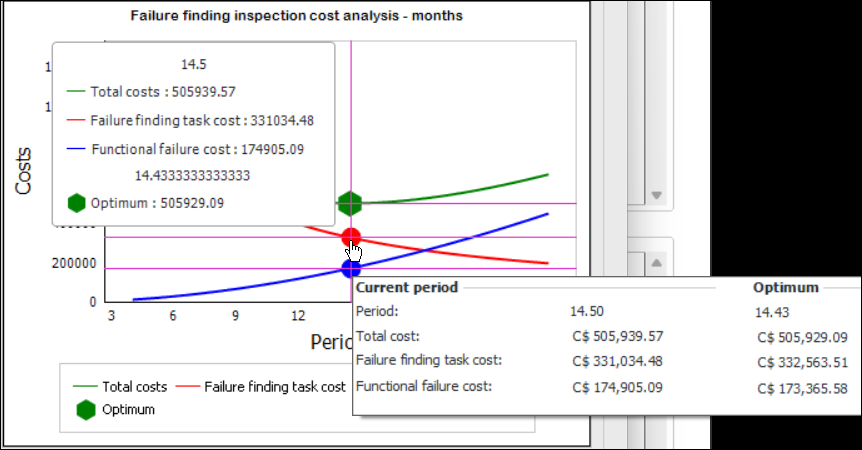
When the calculation is executed, the chart lines display the total costs, failure-finding task costs, and functional failure costs. You can use the cursor pointer to view the data:
You can also click View as Table or View as Form to see the figures.
Note: The Optimal cost calculation is a “generally available” product feature. You must first enable feature 141 to use the functionality in APM. In the Enterprise window, select the Features view and the Enabled Features tab. Click Browse, select “Optimal cost calculation for Failure Finding Interval” and click OK. If APM is running as a smart client, click Refresh Enabled Features on the server. Then restart the client to use the functionality.
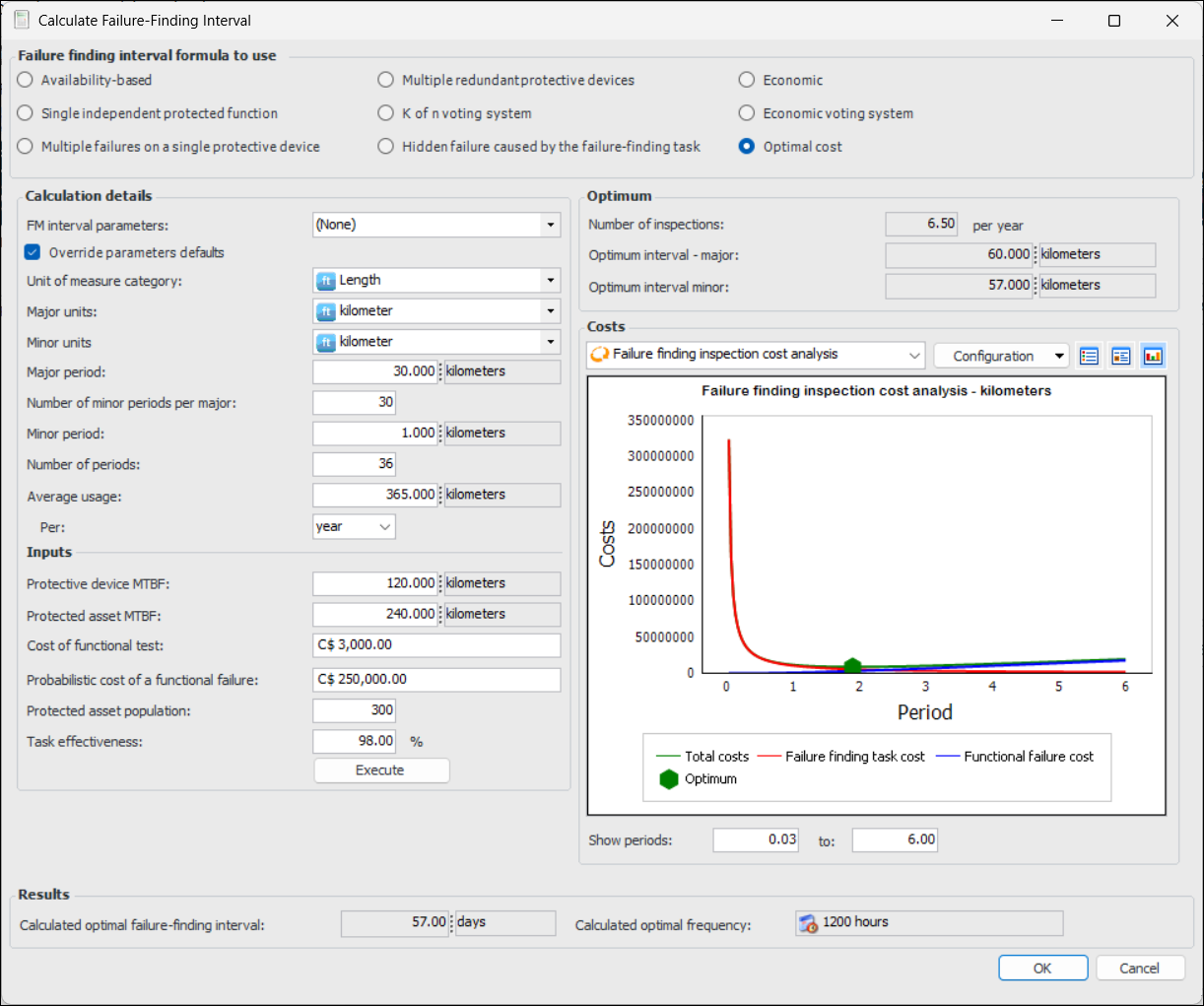
In the following example, the parameter defaults were overridden to use the length unit of measure.
The optimal period is the period where the total cost is the lowest, resulting in a failure-finding interval of 57 days.