|
|


RBI Concepts
Failure Mode Risk Analysis
After you have analyzed the failure modes, you can compare failure modes and identify the relative importance of addressing them. The Risk Assessment view in the Strategy Development Analysis window includes failure mode lists based on criticality, consequence priority, severity, and relative risk, as well as a risk plot, risk matrix, and lists of the evaluations. This view is also available for the asset.Before you can perform risk analysis, the probabilities, severities, evaluation forms, consequence priorities, confidence factors, and risk matrix entries must be set up in the site’s RBI settings. For more information, see Setting up APM for RBI Analysis.Demand Scenario Risk Analysis
Probability Based on Likelihood of Failure and Demand Rate
Demand Scenarios and the Failure Mode
For information about setting up probability questionnaires and matrices, as well as likelihood of failure values, demand rates, and scenarios, see Failure Probability Settings.Risk (Criticality)
Severity
Probability of Failure
Detectability
Consequences
Economic Consequences
Health and Safety Consequences
Environmental Consequences
Reputation Consequences
Failure Mode Consequence Priority
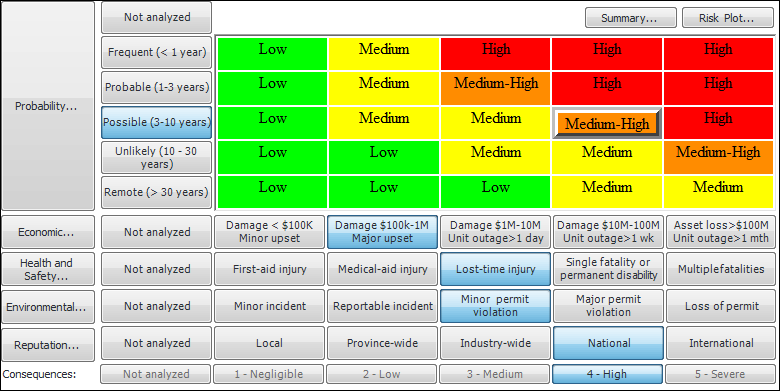
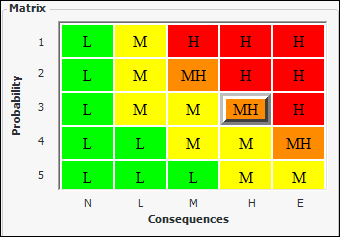
Risk Matrix
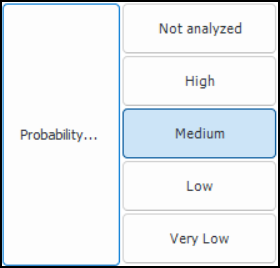
Probability of Failure
Consequence Categories
Consequences
Criticality Rating
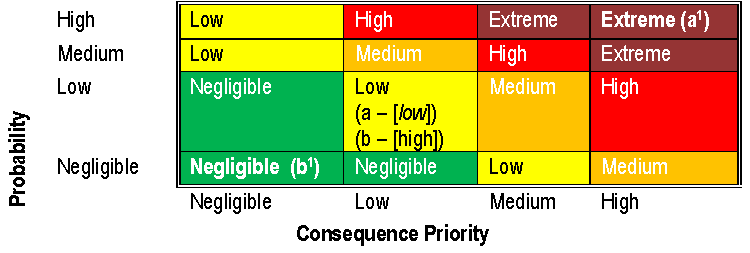
Confidence Factors
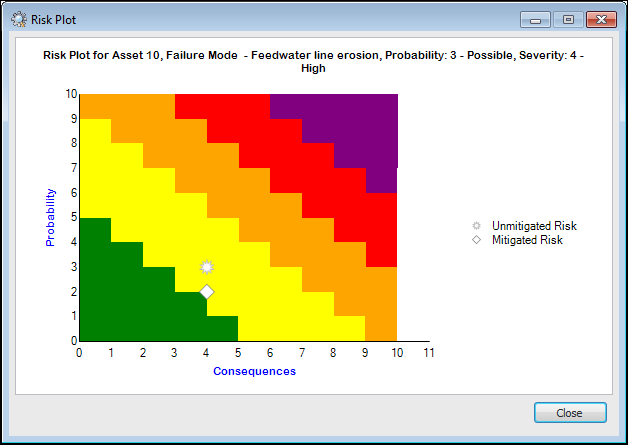
The failure mode is adjusted two positions to the right on the Consequence Priority axis and two positions up on the Probability axis, resulting in an adjusted risk matrix value of Extreme (represented by a1 in the following diagram).Risk Plot Chart
Lookup Tables and Calculations
Note: Support for criticality evaluation calculations is generally available. However, you must first enable feature 115 to use the functionality in APM. In the Enterprise window, select the Features view and the Enabled Features tab. Click Browse, select “Practical RBI - criticality evaluation calculations” and click OK. If APM is running as a smart client, click Refresh Enabled Features on the server. Then restart the client to use the functionality.
Asset Degradation Tracking
Degradation Types
Age Related
Non-Age Related
Strategy-Based
Lining
Susceptibility to Failure Evaluation
Degradation Patterns
Degradation Mechanisms
Degradation Rates
Degradation Allowance
Corrosion Loops
Remnant Life
Integrity Operating Window