Working With a Project’s Links to RBI Action Plans

When viewing a project, you can review the action plans linked to it, link action plans to it, and remove links to action plans. Only action plans that were developed during strategy development analysis, that recommend modification or redesign of the asset, and that have the status Facilitation Completed can be linked to a project.
This topic explains how to add and remove links between a project and action plan.

To Work With a Project’s Links to Action Plans

1.
From the site’s Strategy Development view, select the Projects tab and open the project.
2.
3.
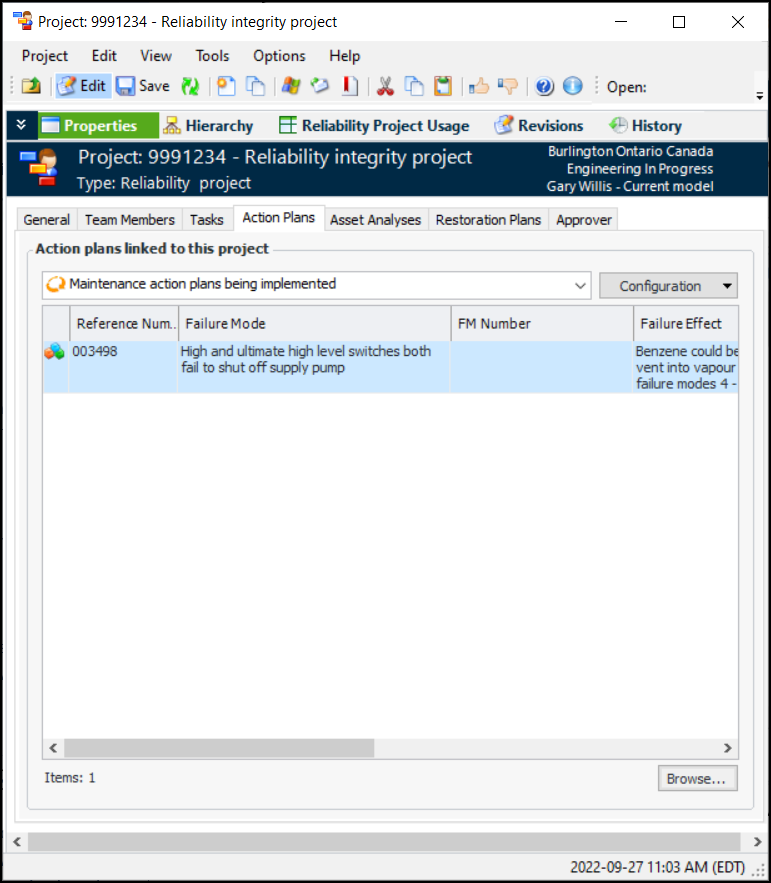
In the Project window, Properties view, select the Action Plans tab. This tab lists the action plans that have been linked to the project.
4.
Click Browse. The Failure Mode Selector dialog appears, listing failure modes that recommend modification/redesign and have the status Facilitation Completed.
Select one or more failure modes and click OK. The action plans are added to the Action Plans tab.
5.
To remove a link to a maintenance action plan, select the action plan and press Delete. In the confirmation dialog, click Yes. The link is removed from the project and the action plan.