Changing the Primary Asset on an RBI Analysis

In a new analysis, the Properties view, Assets tab displays the primary asset and, if specified when the analysis was created, the primary asset’s descendants. You might find it necessary to change the primary asset in the analysis.
The original asset remains in the analysis. It is displayed under the new primary asset in the analysis asset hierarchy. If the analysis options specify that descendants be included, the new primary asset’s child assets are added to the analysis.

To Change the Primary Asset on an Analysis

1.
Open the analysis and select the Properties view, Analysis Options tab.
2.
3.
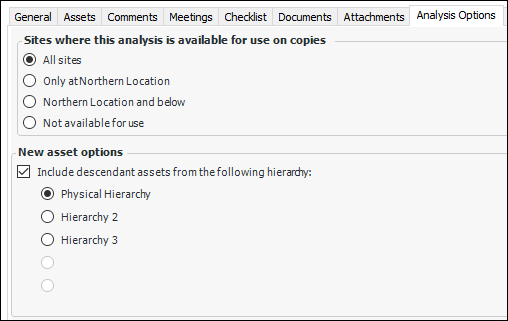
In the New asset options area, specify whether or not descendant assets are included. If they are, select the hierarchy. For example:
4.
Select the Assets tab.
5.
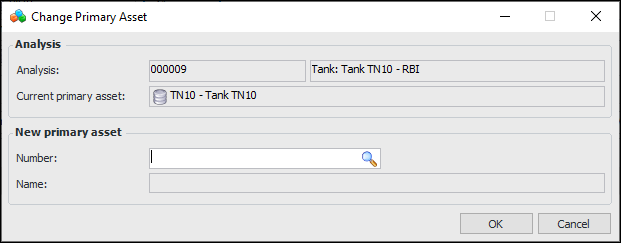
In the Primary asset or system area, click Change. The Change Primary Asset dialog appears. The Analysis area displays information about the analysis and current primary asset.
6.
In the Asset box, click the browse icon to open the Asset Selector dialog. Select the new primary asset and click OK. The asset is displayed as the new primary asset.
7.
Select the Hierarchy tab. The original primary asset is moved under the new primary asset in the analysis hierarchy. Any of the original primary asset’s descendants that are not also descendants of the new primary asset are also moved.