Recording Failure Data for RBI Failure Modes

You can record information about an asset’s failure costs, secondary damage, avoidance savings, statistics, and patterns.
When the team performs risk analysis on the failure mode, the costs incurred by the consequences (health and safety, environmental, reputation) are used in the calculation that determines avoidance savings (if the appropriate failure cost settings are enabled for the analysis).
This is also true of the economic consequence cost, although APM differentiates between the cost assigned to the consequence severity value and the result of the Economic Evaluation questionnaire. There are three possible ways to enter the economic consequence, depending on the analysis’ settings:
You can manually enter costs on the Failure Information view if criticality evaluation is not performed
Avoidance savings also take into account the cost of multiple failures and secondary damages.
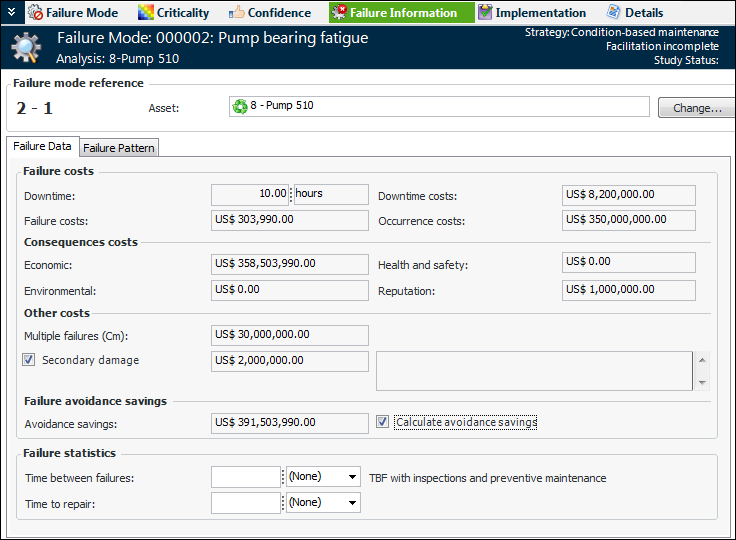
In the Failure Information view, the Failure Data tab displays the estimated downtime, downtime costs, downtime per occurrence costs, failure costs, cost of multiple failures, and secondary damage cost. This tab also shows the consequence costs, if supported by the analysis’ failure mode settings. The following example shows the results when the detailed economic evaluation has been performed, as well as the other consequence evaluations:
When Calculate avoidance savings is selected, APM sums the following values to arrive at the savings:
When the failure mode references an indicator with states, the avoidance savings amount is copied from the failure mode to failure records that are created when the indicator’s alarms are acknowledged.
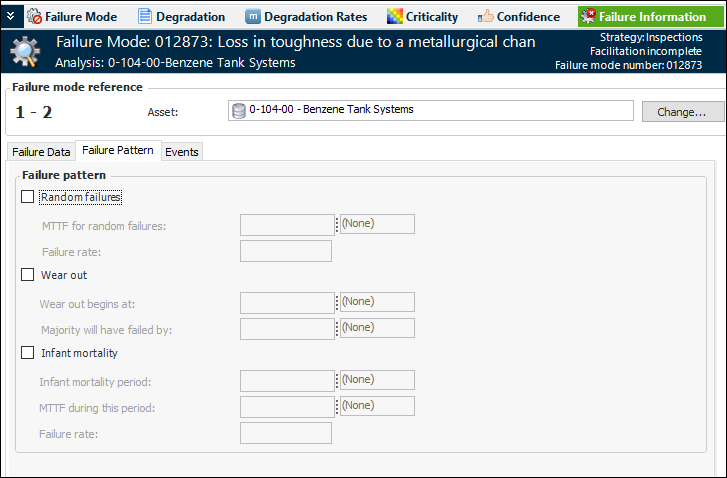
On the Failure Pattern tab, you can record random, wear out, and infant mortality patterns. Typically, you will include information about failure patterns when you intend to use Isograph Availability Workbench to analyze and optimize action plans.
This topic explains how:

To Record Failure Data

1.
2.
3.
4.
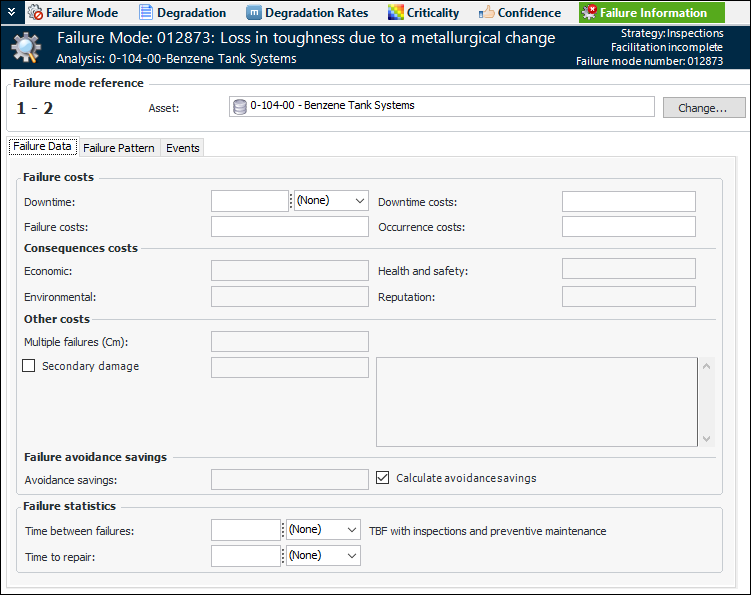
Select the Failure Information view and the Failure Data tab. This example shows the tab when criticality analysis has not been performed:
Note: If you performed economic evaluation during risk analysis, the results are displayed in the Failure costs area, and the values cannot be changed. If you performed evaluations for health and safety, environmental, or reputation consequences, the monetary values assigned to the selected severities are displayed in the Consequence costs area, and the values cannot be changed.
Tip: If the recommended action is failure-finding maintenance, you can click the Failure Finding Information button on the Failure Data tab. A dialog appears showing the calculation inputs for the failure finding-finding interval.
5.
6.
Select Secondary damage if the failure mode causes failures on other assets. Enter the estimated cost and description of secondary damage.
7.
Calculate avoidance savings is selected by default so that APM sums the costs of the failure, consequences, multiple failures, and secondary damage. You can clear this option and enter the avoidance saving amount manually.
Note: If the action plan references an indicator, the avoidance savings amount can be copied to failure records created when the indicator’s alarms are acknowledged.
8.

To Record Failure Patterns

1.
Select the Failure Pattern tab.
2.