Publishing an Asset Activity Report

When an asset activity report is complete and has been approved (if required), it can be published. Published asset activity reports are automatically assigned incremental version numbers.
You can also select the asset activity report sections that are to be published at the same time as the report.
Asset activity reports and sections must be published before they can be used as a completed activity within an asset activity report section.
You can view published reports from an asset activity report’s Editions view.
This topic explains how to publish published asset activity reports.

To Publish an Asset Activity Report

1.
2.
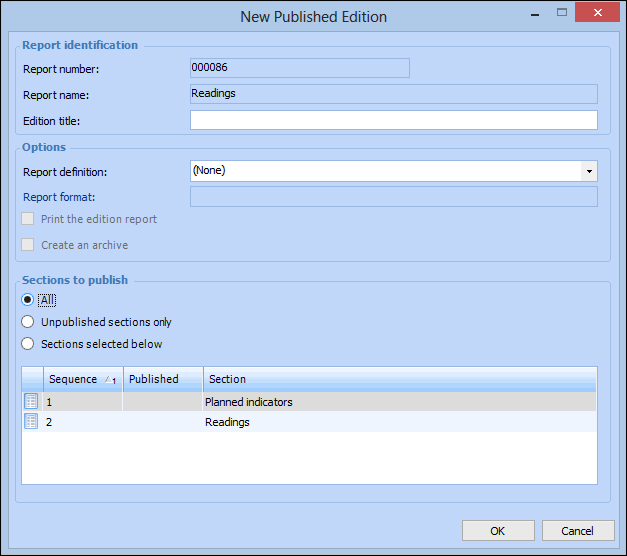
From the Report menu, select Publish. The New Published Edition dialog appears.
Tip: You can also publish an asset activity report and its sections from the asset activity report’s Editions view, and Report view.
3.
4.
All sections – all report sections will be included regardless of their published status.
Unpublished sections only – only sections that have not yet been published will be included.
Sections selected below – you must select each section that you want included in the published edition.
5.
When you are finished, click OK. The asset activity report is published.