Creating Work Orders and Tasks for Projects

In projects, work orders can be used to facilitate the planning details. APM uses work orders to collect costs on projects. Standard work order functionality applies for all work orders charged to projects. The work orders created for a project should be fully planned and should include:
The following procedure outlines the creation of work orders from within a project. Work orders and work order tasks can also be created from the site, asset, or anywhere you can create a work order. Simply charge the work order to the project instead of charging it to an asset. For detailed information about creating work orders see Creating a Work Order from Scratch.

To Create Work Orders and Tasks for Projects

1.
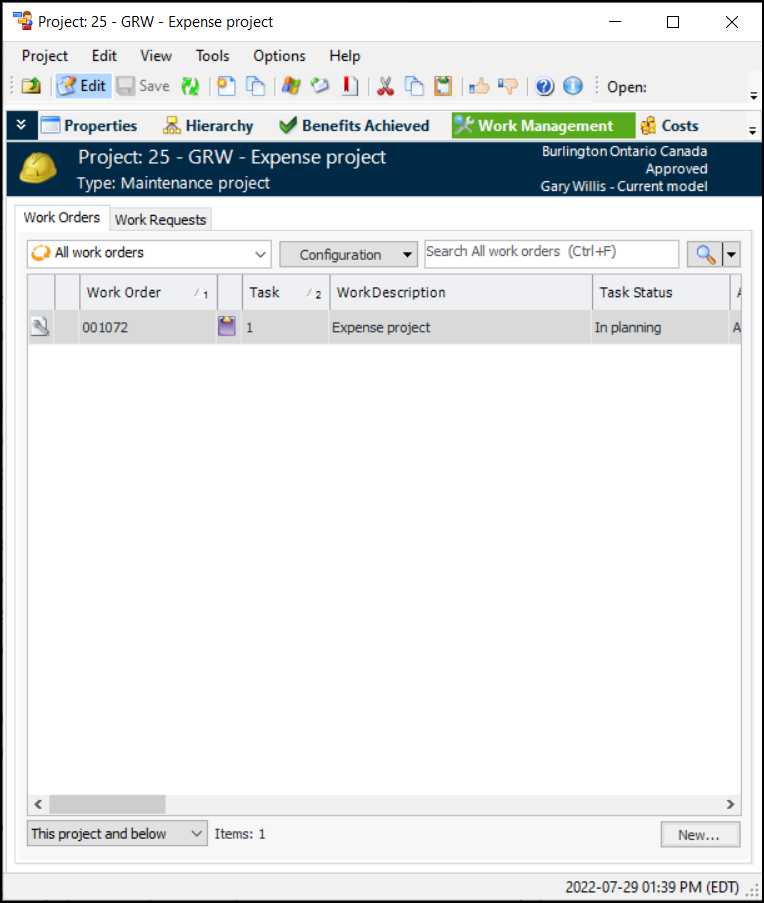
Select the project’s Work Management view.
2.
3.
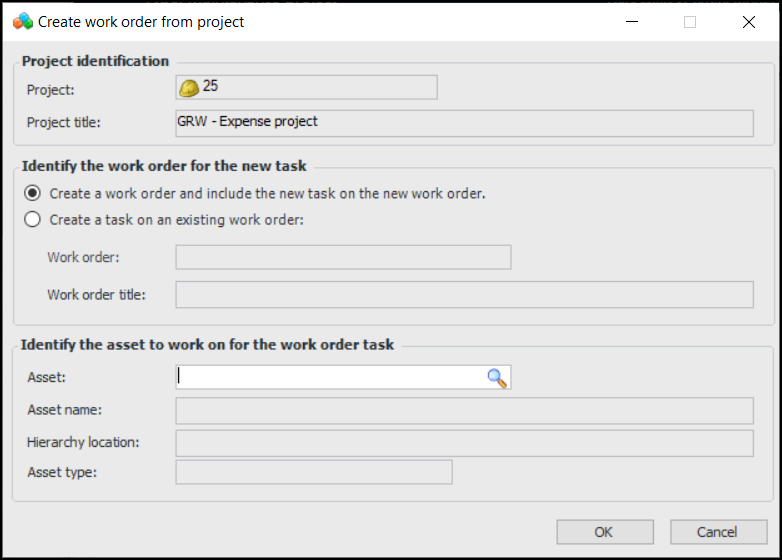
Click New. The Create Work Order From Project dialog appears:
4.
To create the work order task on a new work order, select Create a work order and include the new task on the new work order.
To add the task to an existing work order, select Create a task on an existing work order, and then click Browse. The Work Order Selector dialog appears. Select the work order that you want to add the task to, then click OK.
5.
6.
Click OK. APM creates a new work order or adds a task to the selected work order. The Work Order Task window appears.
Tip: To view the work order for this task, click on the tool bar. The Work Order window appears.
7.
8.
9.
10.