
|
Setting up Purchasing Priorities
To Set up Purchasing Priorities
1. From the Site window, select the Administration menu and then Purchasing Management Settings. The Purchasing Management Settings dialog appears.Tip: You can also access purchase management settings from the Site window by selecting the Purchasing view, Settings tab, and the Purchase Order Management Settings node in the tree.
2. Select the Priorities tab. This tab shows a list of purchasing priorities.
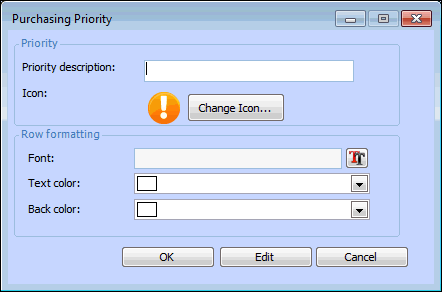
3. Click New. The Purchasing Priority dialog appears.
5. In the Row formatting area, select a font, text color, or back color if you wish to distinguish this priority from others when it appears in table rows.Note: To have the formatting appear in a table’s rows, open the table configuration, select the Appearance tab, then the Grid tab and Row Formatting tab. Select the join path to the priority’s FontAndColorControl attribute.
6. Click OK to close the dialog.
7.