
|
Setting Receiving Report Policies
Enforcing the Use of Receiving Reports
To Set Receiving Report Policies
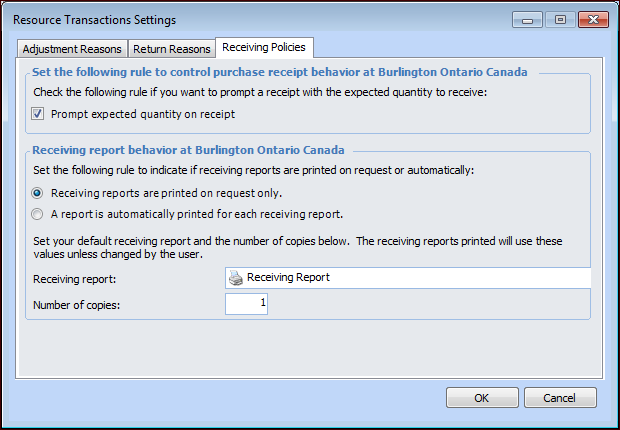
1. On the Site window, click the Administration menu, click Resource Management Settings, and then Resource Transactions. The Resource Transaction Settings dialog appears.
2. Select the Receiving Policies tab. For example:
• Receiving reports are printed on request only: Select this option if you do not want a receiving report printed automatically. When this option is selected a receiving report is only printed when requested by the user.
• A report is automatically printed for each receiving report: Select this option if you want a receiving report printed each time a set of receipts is entered. The system prints a report automatically when each receiving report is posted.
4. Click OK.