
|
Setting up Invoice Types
To Create New Invoice Types
1. From the Site window, select the Administration menu and then Invoice Management Settings. The Invoice Management Settings dialog appears.Tip: You can also access invoice management settings from the Site window by selecting the Invoicing view, Settings tab, and then the Invoice Settings node in the tree.
2. Select the Invoice Types tab. This tab shows a list of existing invoice types.
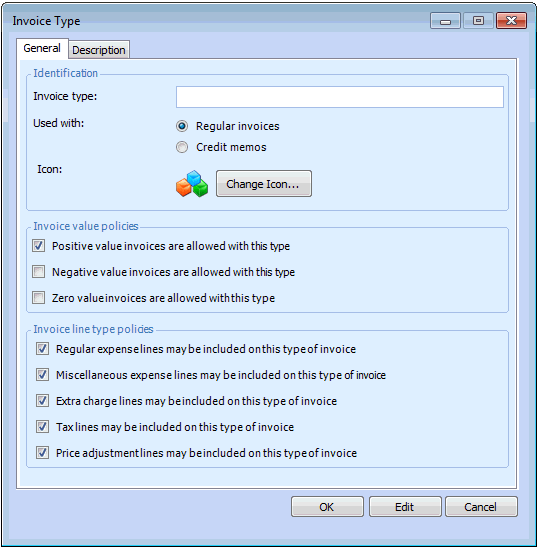
3. Click New. The Invoice Type dialog appears.
4. On the General tab, enter a name for the invoice type, select whether this type is used for regular invoices or credit memos.
5. In the Invoice value polices area, select the type of values that invoices of this type can have.
6. In the Invoice line type policies area, select the invoice lines that invoices of this type are allowed:
7. Click OK to close the dialog.
8. On the Description tab, you can enter a description for the invoice type.
9.
10. When you are finished creating invoice types, you can select the default types to be used for Regular invoices and Credit memos.