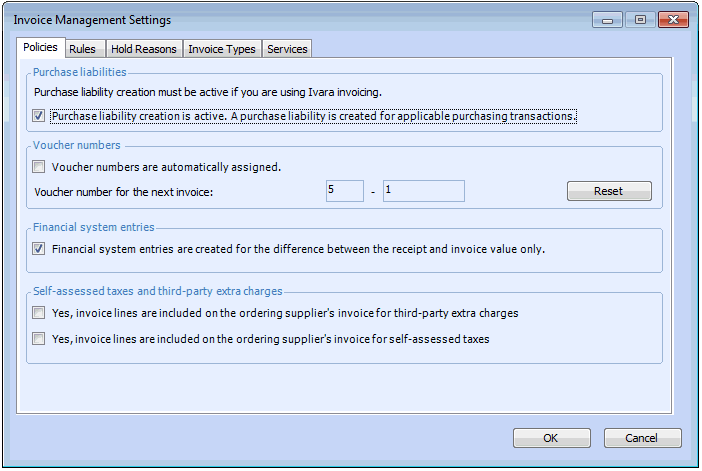
**Enabling Purchase Liability Creation and Setting Invoicing Policies

To use the invoicing function, purchase liability creation must be turned on. Turning on this option tells the system to create purchase liabilities for purchasing transactions. Purchase liabilities are used to create invoice lines.
This option is turned on by default. If your organization is not using the invoicing function, or if you are interfacing to an invoicing system that does not use the purchase liabilities, you may turn off this option.
You can also set the policies for voucher numbers, financial system entries, and self-assessed taxes and extra charges.

To Set Invoicing Policies

1.
From the Site window, select the Administration menu and then Invoice Management Settings. The Invoice Management Settings dialog appears.
Tip: You can also access invoice management settings from the Site window by selecting the Invoicing view, Settings tab, and then the Invoice Settings node in the tree.
2.
Select the Policies tab.
3.
4.