|
Setting up Price Tolerances for Invoices
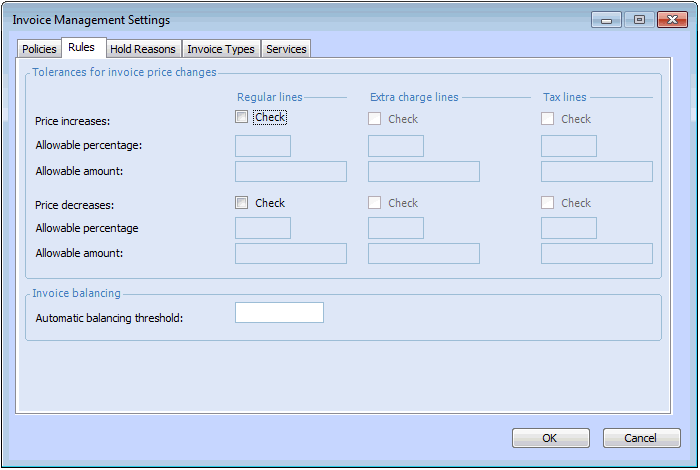
• Percentage: the percent by which the invoice line price can differ from the purchase order line price.
• Amount: the amount by which the invoice line can differ from the expected line price based on the purchase order price and quantity being invoiced.Note: In order to enter price tolerances for extra charge and tax lines, you must first enable approvals for these lines in the site’s Approval Settings dialog. See Setting up Invoicing and Credit Memo Approvals.To Set the Price Tolerances for a Site
1. From the Site window, select the Administration menu and then Invoice Management Settings. The Invoice Management Settings dialog appears.Tip: You can also access invoice management settings from the Site window by selecting the Invoicing view, Settings tab, and then the Invoice Settings node in the tree.
2. Select the Rules tab.
• Allowable percentage: the percent by which the invoice line price can differ from the purchase order line price.
• Allowable amount: the amount by which the invoice line can differ from the expected line price based on the purchase order price and quantity being invoiced.