|
Printing Inspection Reports
• Photos – Inspection report photographs (from the Photos tab)To Print Inspection Reports
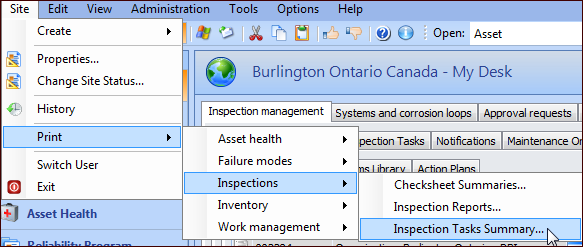
• To print reports for the site, on the Site window, click the Site menu, Print, Inspections, and then the type of report. For example:
• To print reports for an asset, open the Asset window, click the Asset menu, Print, and then Inspection Reports
• To print one inspection report, open the Inspection Report window, click the Inspection Report menu, Print, and then Inspection Report
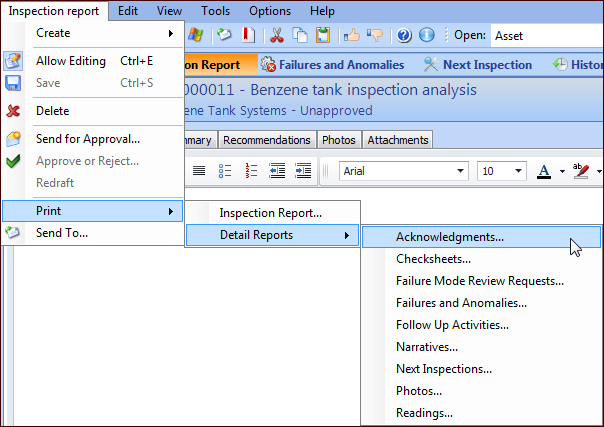
• To print a detail report, open the Inspection Report window, click the Inspection Report menu, Print, Detail Reports, and then the type of report:
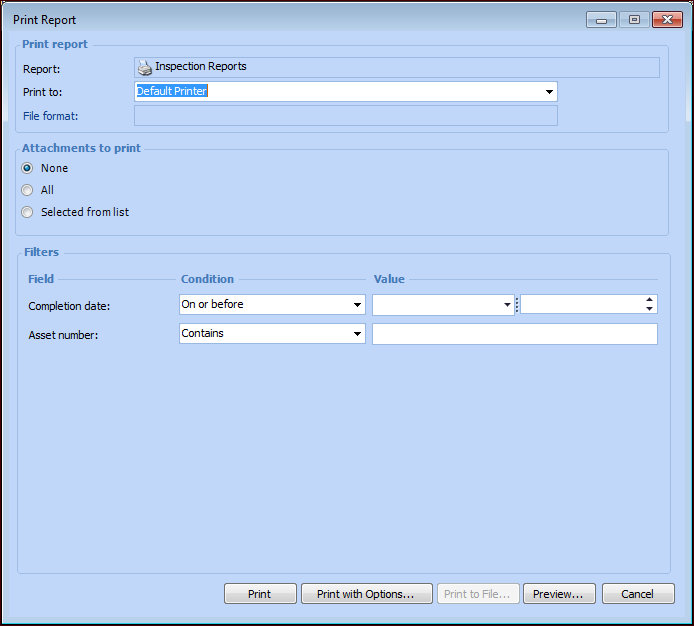
• None – no attachments will be printed with the report
• All – all report attachments will be printed
• Selected from list – selected attachments will be printed with the report
4.