Defining Estimated Cost, Project Life, and ROI

When creating and planning a project, you can define three properties:
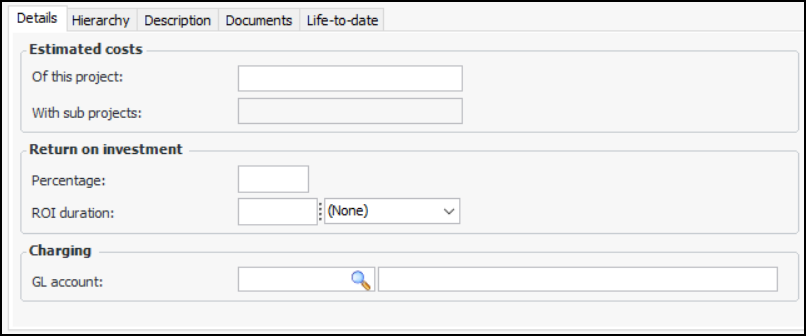
When defining estimated cost, enter only the cost of this particular project, not including the costs of its sub-projects. The total project cost including sub-projects is calculated automatically. If a project is sent for approval and there are no work orders associated with the project, the Estimated Cost of the Project is used to populate the Approval Value. If the project does have planned work orders associated with it, the sum of the work orders’ planned costs is used to populate the Approval Value.
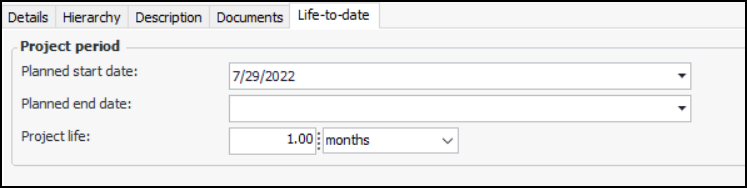
When defining project life, enter start and end dates for the project, as well as the project duration. The project duration is calculated from the start and end dates, but it is possible to override the calculated duration value.
When defining return on investment (ROI), enter the percent ROI and the period in which that return can be attained. Entering the expected ROI is helpful in the approvals process, as well as the follow up to closed projects to gauge their success.
Note: This information is visible if the project type allows project details. If this tab is hidden, you can enable it if you have the required security profile. For more information, see Setting up Project Types.

To Define Estimated Cost, Project Life, and ROI

1.
Select the project’s Properties view, General tab.
2.
3.
Select the Details tab to define the estimates of cost and return on investment.
4.
On the Details tab, enter the following information:
5.
Select the Life-to-date tab.
6.
7.