
|
Requesting an RFQ for a Purchased Resource
To Request an RFQ for a Purchase Requirement
2. Select the Planning view, then the Planning tab. This tab shows the planning information for the task, as well as a list of trades, materials, tools, and services currently selected for the task.
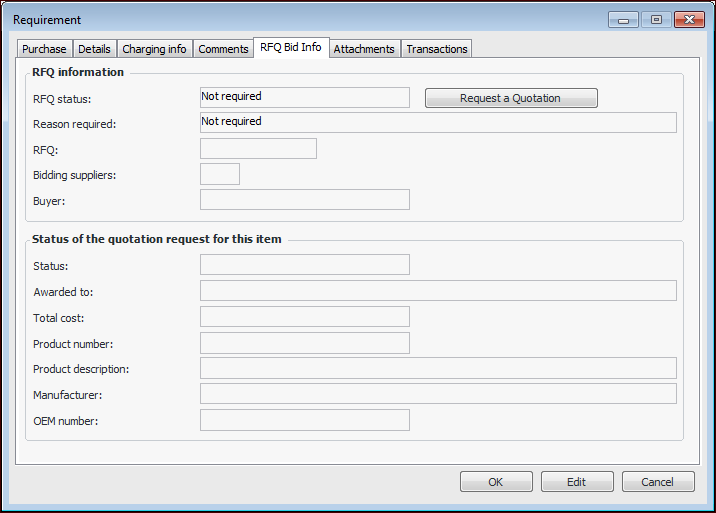
4. Select the RFQ Bid Info tab. The RFQ Status box states whether or not an RFQ has been requested. For example:
5. Click Request a Quotation. The RFQ status changes to “Requested”. The reason required is “Manual request”.Tip: To cancel the request, click Cancel Quotation Request.
6. Click OK to close the dialog.Tip: To view the RFQ, select the Activity view and expand the RFSs node in the tree.