
|
Overriding the Supplier Selection Rules on a Resource or Trade
To Override Site Supplier Selection Rules for a Resource or Trade
For a resource: From the site, select the Resource Management view. Open the resource you want to edit. The Resource window appears.For a trade: From the site, select the Personnel view, Trades tab. Open the trade that you want to edit. The Resource window appears.
2.
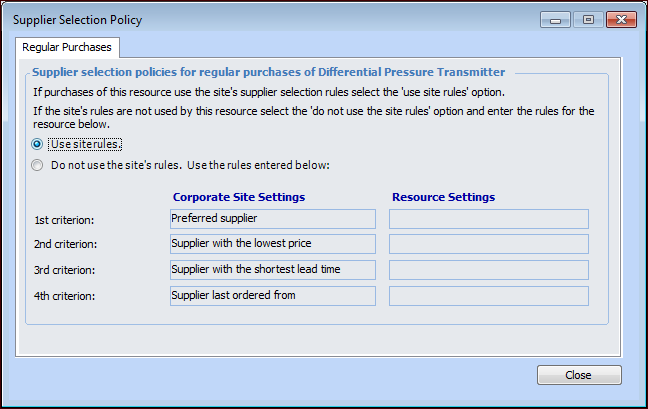
3. In the Supplier Selection Policies area, click Details. The Supplier Selection Policy dialog appears. For example:
4. There might be more than one tab in the dialog, depending on the type of resource that you opened. For example, if you opened a tool type resource, there is a tab for the rules for Regular purchases and a tab for the Equipment rental rules.Select the tab for the type of purchase that you want to edit (Regular purchases, Repair orders, Equipment rentals, or Service orders).
5. To override the site’s settings, select Do not use the site’s rules. The Resource Settings column becomes open for editing.
6.
7.
8. When you are finished selecting the criteria, click Close to save and close the dialog.