
|
Setting Options for Table Configurations
You can set options that perform specific tasks to table configurations. To do this, you must log in as an APM administrator. For example, you might choose to have charts and lists refresh automatically.To Set Options for Table Configurations
2.
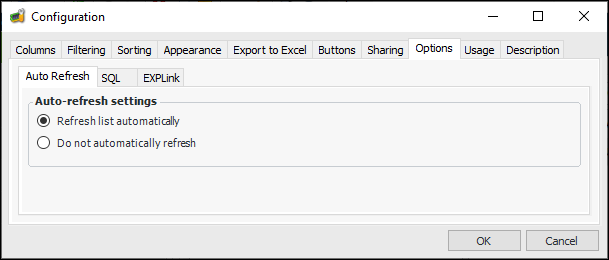
3. Select the Options tab.
4. On the Auto Refresh tab, enter the appropriate settings:
5. You can select the SQL tab to add database hints. For more information, see Adding Hints to a Table Configuration.
6. You can select the EXPLink tab to generate EXPLink generic slice code. For more information, contact APM Support.
7. Click OK to save your changes to the table configuration and close the Configuration dialog.