Object Model Overview

The APM object model is the foundation of all aspects of the application. Many implementation activities are directly tied to the object model. Having a basic understanding of the object model will help you to understand other activities, such as:
This topic explains basic object modeling concepts.
 

Object Modeling Concepts

An object is an individual unit of data storage; it is the basic building block of the APM system. In APM, each object is an instance of a particular class and inherits all of the properties of that class. For example, any one asset is an instance of the Asset class.
The object model is the collection of related classes that make up the APM system. This collection defines the types of business objects in the system (such as assets and work orders), the properties that each object has, and how the objects are related to each other.
The APM object model defines:
The object model defines the APM application using:

Classes

Classes are the main building-blocks of the object model. A class is like a template for system objects that all have the same basic characteristics. The design of each class and how the classes relate to each other provide the basic structure of the application. All objects in APM are based on classes. Objects that behave the same way belong to the same class. For example, each asset in the system is based on the Asset class.
For example, one of the main classes in APM is the Asset class. An APM user might create an asset called “Truck”. APM creates the Truck object based on the Asset class. The Truck object contains all of the data that APM has about the truck, as well as all of the methods that APM users can perform on or with the Truck. Another way of saying this is that the Truck object is an instance of the Asset class.
Classes themselves are made up of other smaller components such as:

Attributes

An attribute is a piece of information that resides in a class. Attributes can also be referred to as properties or data members of the class. Using attributes, you can collect a variety of information about an object.
Some examples of class attributes are:
For example, here are some of the attributes for the Asset class:
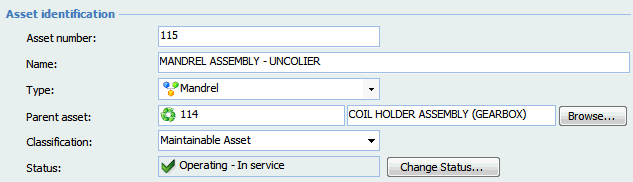
Many of the attributes for a class are shown as fields in the user interface. For example, on an asset’s Properties view you can see the Asset number and Classification fields.
APM picks the most appropriate control to represent the attribute based on the type of data it represents. For example, an attribute with the data type Date is represented in the user interface with a specialized Date control.
For a list of data types and controls, see Data Types.

Methods

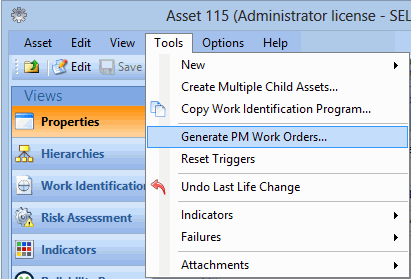
A method is any action that you can perform against an instance (object) of a particular class. For example, Change Status is a method that can be performed on asset objects.
Other methods for the Asset class include:
In the user interface, methods appear as menu items, tool bar buttons, and push buttons. For example:
For a list of common methods, see Methods.

Relationships

A relationship defines the way one class is linked to another class in the object model. When objects are created from classes, they relate to each other based on the relationships set up between the classes in the object model. For example, the Asset class has an “owns many” relationship to the Functional Failure class. This means that when asset objects are created, they can own one or more functional failure objects.
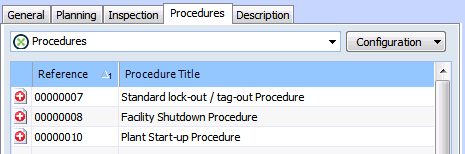
Relationships are also represented in the user interface. APM picks the most appropriate control to represent the relationship based on its relationship type. For example, an “owns many” relationship is shown as an MCLB (table) control.
For a list of relationship types, see Relationship Types.

Views

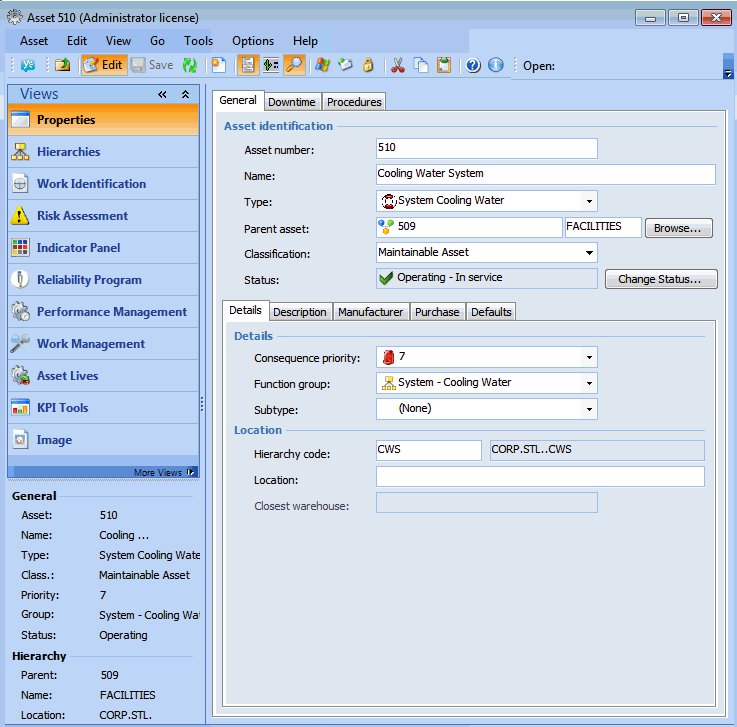
A view is a screen or set of screens in the user interface. Each class usually has one or more views. View objects include class views (for example, the site’s Assets view) and dialogs (for example, the Work Management Settings dialog).
The following is an example of an asset’s Properties view.
The views for an object are created and maintained using the Views view of the class.