Setting up Material Return Reasons

You can enter typical material return reasons used at your site, then use this information to analyze warehouse and maintenance performance.

To Set up Material Return Reasons

1.
On the site’s Resource Transactions view, select the Settings tab. Select the Resource Transactions Settings node in the tree.
Tip: You can also select the site’s Administration menu, Resource Management Settings, and then Resource Transactions. The Resource Transactions Settings dialog appears.
2.
Select the Return Reasons tab. This tab shows a list of the current return reasons.
3.
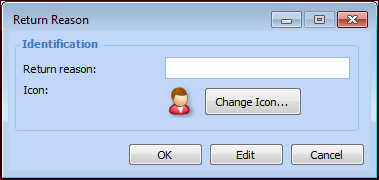
Click New. The Return Reason dialog appears.
4.
5.
Click OK to close the Return Reason dialog.
6.
Repeat steps 3 to 5 for each of your material return reasons.