Setting up ABC Classifications

You can assign ABC classifications to items that you keep in inventory. The ABC classification identifies how often the item should be physically counted. “A” items have a high annual usage cost and need to be counted the most frequently. “C” items have a low annual usage cost and need to be counted the least frequently. Once inventoried items are assigned ABC classifications, you can create count sheets based on that classification.
There are generally accepted formulae to determine the ranking of an item, but it is usually a combination of the number of inventory turns and the item's value. For example, either an item that has low annual usage but a high dollar value or an item with high annual usage and a low dollar value could be an “A” classification. Since the annualized usage cost in both situations is high, the item is of highest importance when performing physical counts. Monitoring these items more closely can result in significant cost savings.
This topic explains how to create a new ABC classification.

To Set up ABC Classifications

1.
On the site’s Resource Management view, select the Settings tab. Select the Inventory Settings node in the tree.
Tip: You can also select the site’s Administration menu, Resource Management Settings, and then Resources. The Resource Management Settings dialog appears.
2.
Select the ABC Classifications tab. This tab shows a list of the current ABC classifications.
3.
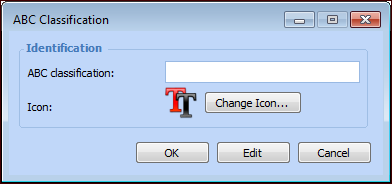
Click New. The ABC Classification dialog appears.
4.
5.
Click OK to save the code and close the dialog.
6.