Viewing Mass Update Requests

There are two ways to view a configuration-based mass update request:
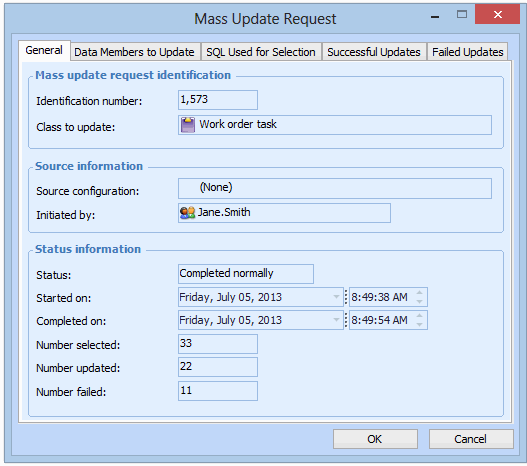
The status of the update request can be one of:
New – The update request has not yet completed.
Completed normally – The update process finished without error. This does not mean, necessarily, that all of the classes were successfully updated. There might be failed updates on the request.
Stopped – The user clicked Cancel while the update was in progress.

To View Mass Update Requests for the Enterprise

1.
2.
Select the Data Management view and then the Mass Update Requests tab.
3.
4.
Note: The Mass Update Request window does not list the target data elements that were not updated if the update process did not complete successfully.