
Manually Setting Supplier Rankings

You can manually rank suppliers on an RFQ. This method is used when you want to set the number 1 supplier, regardless of any previously used ranking methods. You can manually set the number 1 supplier for the entire RFQ or for an individual resource.
You can manually rank suppliers when the RFQ has the status “All bids received”. If you rank suppliers before performing an analysis, the Rank and Leading columns are blank.

To Manually Rank Suppliers for the Whole RFQ
1.
2.
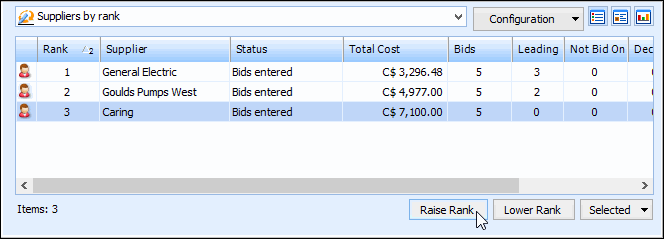
Select the Analysis view and then the Supplier Ranking tab. This tab displays a list of the suppliers that bid on the RFQ in the top table. When you select a supplier in the top table, the bottom table displays that supplier’s bids for each resource.
3.
Select a supplier and click either the Raise Rank or Lower Rank to change the ranking of the supplier. If you have not yet ranked any suppliers, the first supplier that you rank will get rank number 1. Repeat this step for every supplier that you want to rank.