Making Ad Hoc Changes to Table Configurations

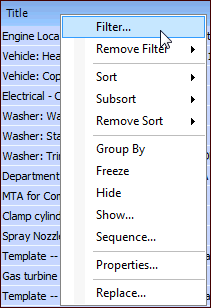
You can make ad hoc changes to the configuration you are viewing, including changing what columns appear and in what order, filtering, sorting, column formatting, and grouping.
When you make an ad hoc change to a table configuration, a pen appears in the configuration type icon. For example:
Ad hoc changes do not change the properties of the original table configuration. The configuration will return to its previous appearance the next time that you log into APM.
To save your changes in the current configuration, see Saving Ad Hoc Changes in the Current Configuration. To create a new configuration based on your changes, see Saving Ad Hoc Changes as a New Table Configuration.
To reverse ad hoc changes, see Undoing Ad Hoc Changes in Table Configurations.

To Make Ad Hoc Changes

1.
2.