
Setting the Option for Work Request Titles

You can set the policy for assigning titles and descriptions to work requests when they are created or edited. Titles can be based on the failure mode for the asset to work on or a problem identified for the asset type. Users can also enter the title of their choosing. This topic explains how to set the option.

To Set the Option for Work Request Titles
1.
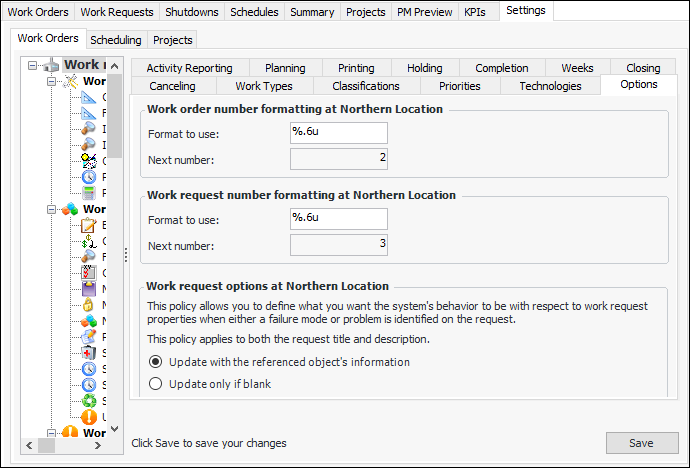
From the Site window, select the Work Management view and the Settings tab. Select the Work Orders tab and the Work management settings node in the tree.
Tip: You can also select the Administration menu and then Work Management Settings. The Work Management Settings dialog appears.
2.
Select the Options tab.
3.
Click Edit to modify the site settings. The Edit button is replaced by the Save button.
4.
In the Work request options area, select an option:
5.
Click Save.