|
Setting up Serialized Unit Statuses for Tools
• Before you begin defining the inventory statuses, you should ensure that appropriate asset statuses exist in the system. To define asset statuses, please see **Setting up Asset Statuses.For more information about defining unit statuses, see Setting up Serialized Inventory Unit Statuses for Repairable Spares.To Define Serialized Inventory Unit Statuses
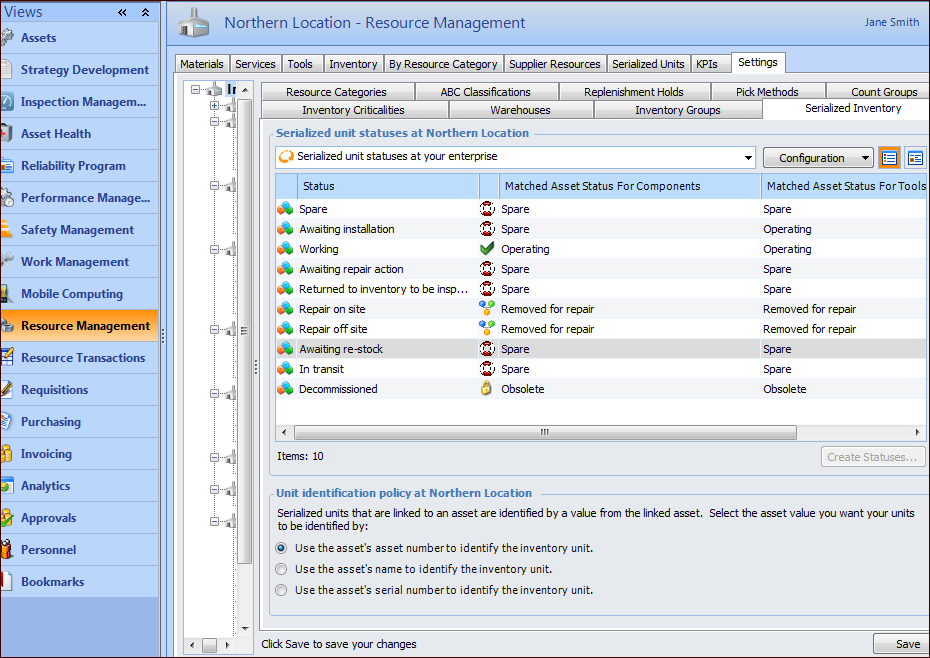
1. On the site’s Resource Management view, select the Settings tab. Select the Inventory Settings node in the tree.Tip: You can also select the site’s Administration menu, Resource Management Settings, and then Resources. The Resource Management Settings dialog appears.Tip: You can also access resource management settings from the Site window by clicking the Administration menu, Resource Management Settings, and then Resources. The Resource Management Settings dialog appears.
2. Select the Serialized Inventory tab. This tab lists the serialized unit statuses and the default asset statuses. For example:
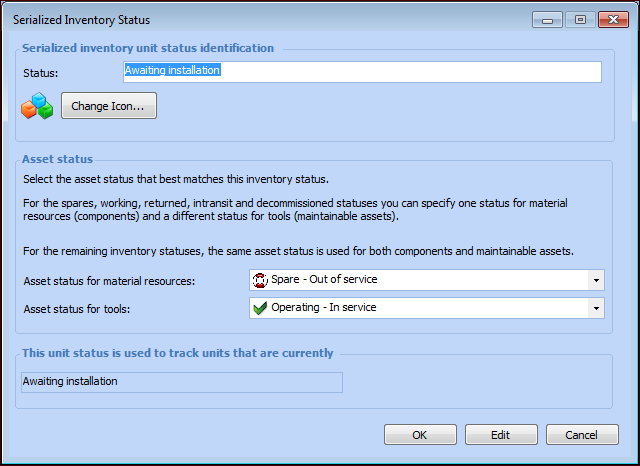
7. When you have finished matching the statuses, click OK to close the dialog.