
Setting the Numbering Format for Standard Tasks, Jobs, and Solution Package Templates

Document numbering settings create the alpha-numeric identifiers that distinguish one document from another (for example, work orders). Within each site, every document must have a unique identifier. If necessary, you can enter a site-specific prefix or suffix to a type of document to ensure that their numbers are unique throughout the enterprise.
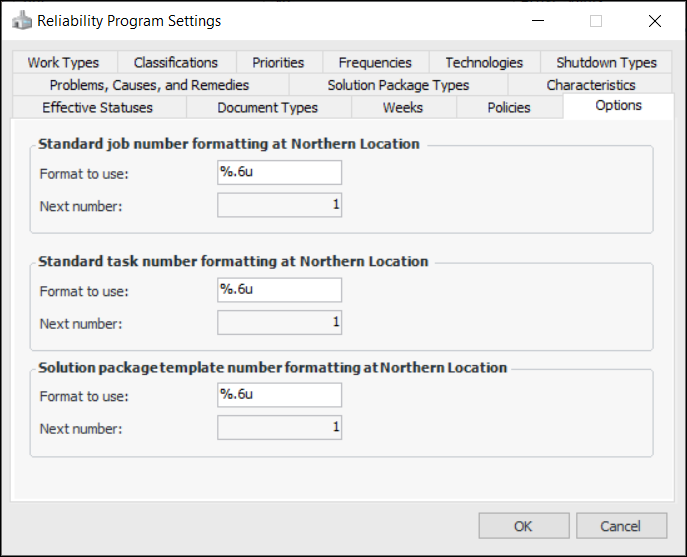
In reliability program settings, you can set the format to use for standard task, standard job, and solution package template numbers. You can also see the number that will be assigned to the next new object.

To Set the Numbering Format for Documents
1.
From the Site window, select the Administration menu and then Reliability Program Settings. The Reliability Program Settings dialog appears.
2.
Select the Options tab.
3.
For example, a format that says “%.6u” would generate six-digit numbers padded with zeros: 001234.
% indicates the start of the number definition.
.6 indicates that the numbers should have six digits. Numbers with less than six digits will be padded with zeros.
u indicates that the number is an unsigned integer (that is, it cannot be a negative number).
4.