Setting up Shutdown Types

In APM, shutdown types are used to identify the different types of shutdown periods that occur within a plant or facility. The annual shutdown, spring shutdown, and an area shutdown are examples of shutdown types. Shutdown types do not have specific dates because they can occur multiple times within a year and over multiple years.
You can define and plan individual occurrences of a shutdown. For example, the 2025 annual shutdown can be planned as a separate occurrence of the annual shutdown type.
APM provides shutdown types, which you can edit for your organization. You can also add new shutdown types.
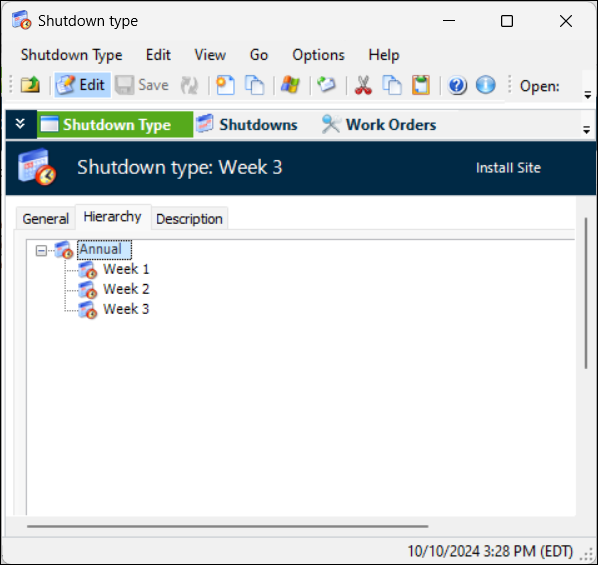
You can create a hierarchy of shutdown types. For example, the Annual shutdown could have subordinate shutdown types for tasks to be completed in week one, week two, and so on.
You can view and create shutdowns from the Shutdown type window using the Shutdowns view. See Defining Shutdowns.
Tip: In the Shutdown Type window, select the Shutdowns, Work Orders, and Reliability Program views to see the shutdowns, work orders, and standard jobs and tasks associated with the shutdown type.
This topic explains how:

To Set up Shutdown Types

1.
From the Site window, select the Reliability Program view and the Settings tab. Select the Reliability Program tab and the Reliability program settings node in the tree.
Tip: You can also select the Administration menu and Reliability Program Settings. The Reliability Program Settings dialog appears.
2.
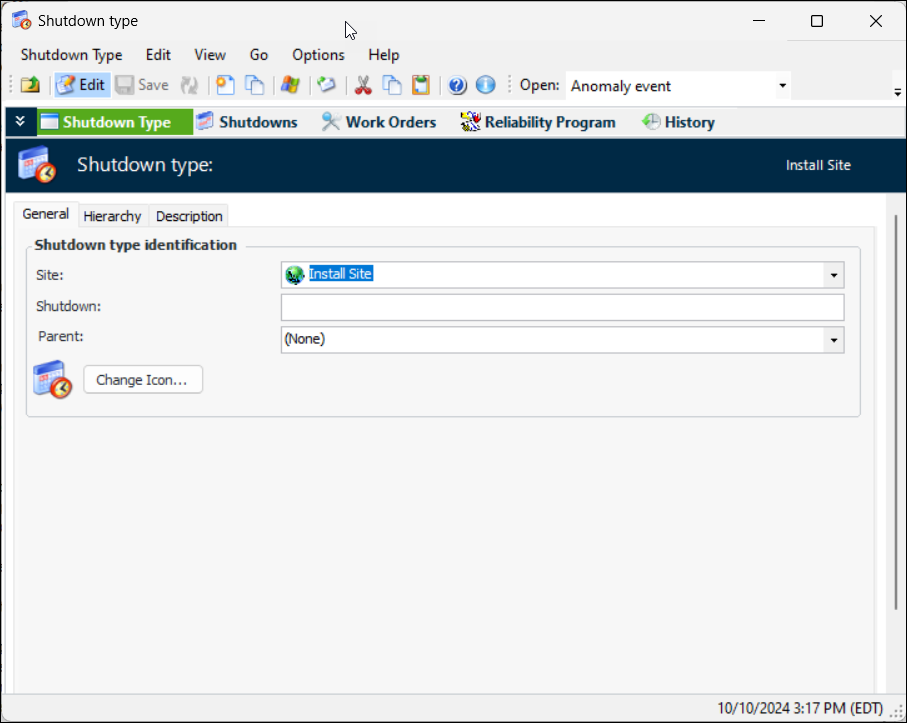
Select the Shutdown Types tab and click New. The Shutdown Type window appears.
3.
4.
5.
6.
7.
8.

To Work with the Shutdown Type Hierarchy

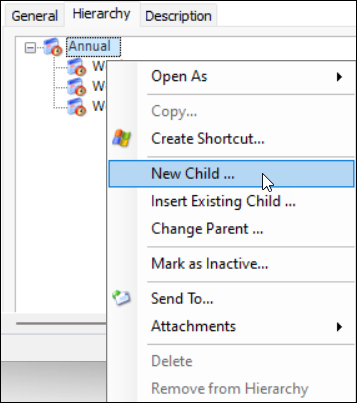
You can change the order and level of shutdown types using the Hierarchy tab. You can also add new and existing types to the hierarchy. For example:
To change a shutdown type’s parent, right-click it and click Change Parent. Select the new parent from the list and click OK. The shutdown type is removed from the current hierarchy. When you open the parent shutdown type, you will see the change in its hierarchy.
For example:
To remove a shutdown type from the hierarchy, right-click it and click Remove from Hierarchy. The type no longer appears in the hierarchy, but it is still present on the Shutdown Types tab.
9.