
|
Setting up Safety Management Options
To Set up Safety Options
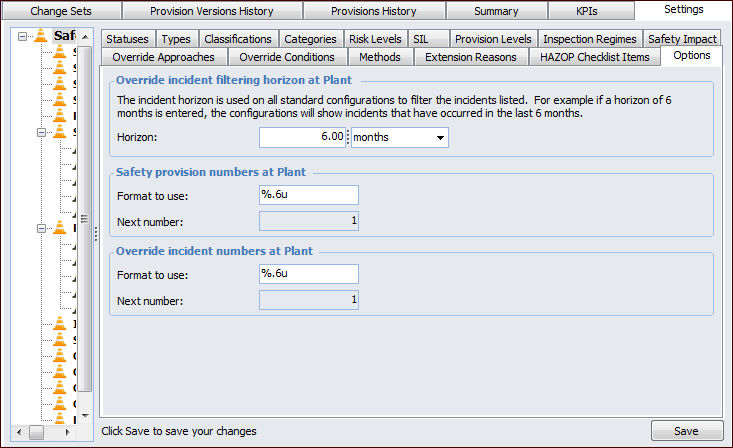
1. On the site’s Safety Management view, select the Settings tab, and the Safety Management Settings node in the tree.Tip: You can also select the site’s Administration menu and then Safety Management. The Safety Management Settings dialog appears.
2. Select the Options tab.
3.
5.
For example, a format that says “%.6u” would generate six-digit numbers padded with zeros: 001234.
• % indicates the start of the number definition.
• .6 indicates that the numbers should have six digits. Numbers with less than six digits will be padded with zeros.
• u indicates that the number is an unsigned integer (that is, it cannot be a negative number).The Next number boxes show the numbers that will be assigned to the next new object (without the padding).
6.