
|
Changing Serialized Inventory Status Definitions for Repairable Spares
To Change Serialized Inventory Unit Status Definitions
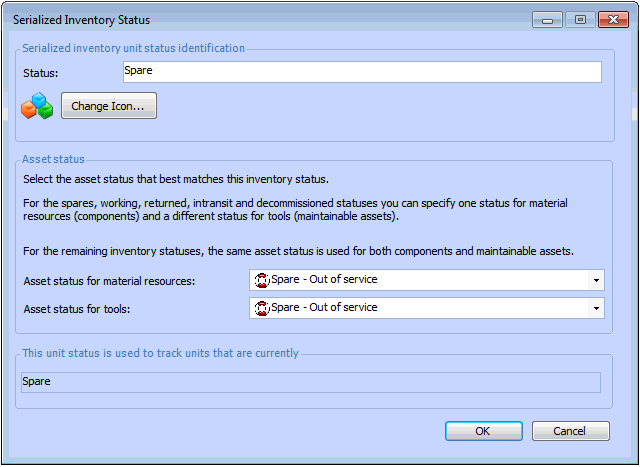
1. On the site’s Resource Management view, select the Settings tab. Select the Inventory Settings node in the tree.Tip: You can also select the site’s Administration menu, Resource Management Settings, and then Resources. The Resource Management Settings dialog appears.Tip: You can also access resource management settings from the Site window by clicking the Administration menu, Resource Management Settings, and then Resources. The Resource Management Settings dialog appears.
2. Select the Serialized Inventory tab. This tab displays the required 10 statuses.
4. Click OK. Your inventory status is updated in the list.
5. Click OK to close the Resource Management Settings dialog.