Setting up Gas Recovery Types

Gas recovery types identify the disposition of recovered gas, which can be either returned to the vendor or kept in inventory. This topic explains how to add gas recovery types in APM.

To Set up a Gas Recovery Type

1.
In the Site window, select the Regulated Gas Management view and the Settings tab. Select the Regulated Gas Management Settings node in the tree.
Tip: You can also select the Administration menu and then Regulated Gas Management Settings. The Regulated Gas Management Settings dialog appears.
2.
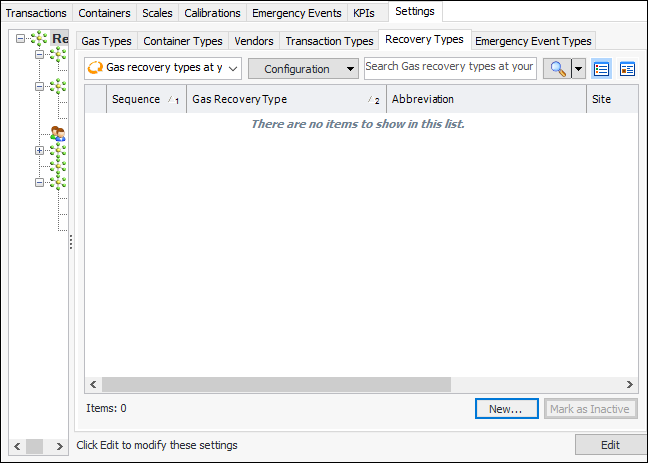
Select the Recovery Types tab. This tab shows the recovery types defined for the enterprise.
3.
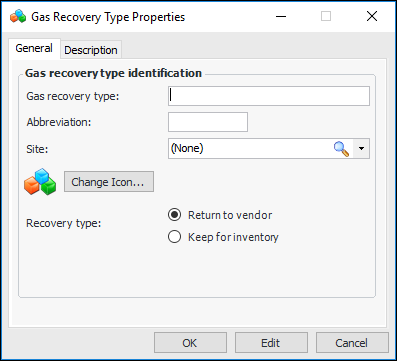
Click New. The Gas Recovery Type Properties dialog appears:
4.
5.
To represent the recovery type with a different icon in tables, click Change Icon, select another image, and click OK.
6.
7.
Select the Description tab to add more information.
8.
Click OK. The dialog closes and the recovery type is added to the tab.