|
Setting up Assignment Types
•To Set up Assignment Types
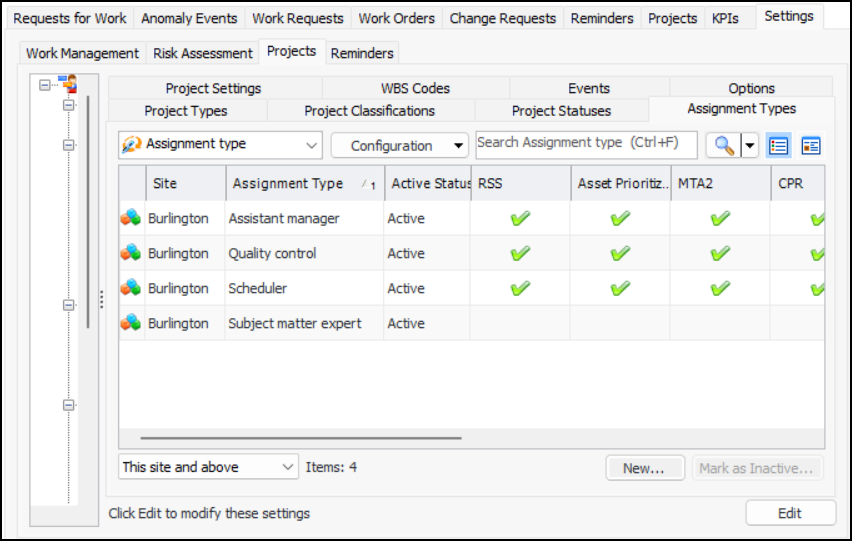
1. From the Site window, select the Work Management view and the Settings tab. Select the Projects tab and the Project management settings node in the tree.Tip: You can also work with project settings in the Strategy Development, Reliability Program, or Performance Management views. Select the Settings tab and then the Projects tab.
2. Select the Assignment Types tab.You can mark a type as inactive until it is ready to be used. Select the type in the table and click Mark as Inactive. The Mark as Inactive/Active dialog appears, where you can enter a comment. When you click OK, a confirmation message appears. Click OK. When you are ready, click Mark as Active to make the type available for use.
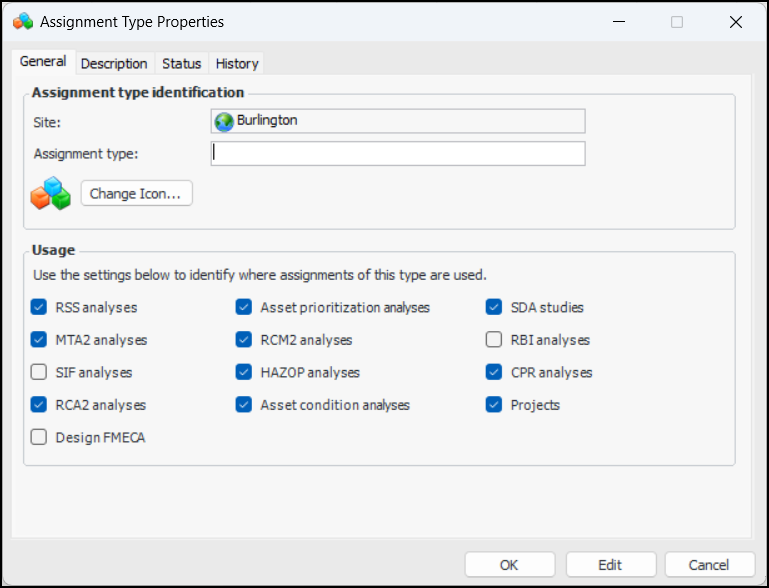
3. For each assignment type that you wish to create, click New. The Assignment Type Properties dialog is displayed:
4. On the General tab, assign a descriptive name to the assignment type, for example, “Assistant manager”.
5.
7. Select the Description tab to add information.
8. Click OK.