Setting up Planner Groups

In APM, you can define planner groups to identify groups of employees responsible for planning, processing, and maintenance tasks in a plant. When AWEIS is active, planner groups are referenced on standard tasks, checksheets, and requests for work.

To Set up Planner Groups

1.
From the Site window, select the Reliability Program view and the Settings tab. Select the Reliability Program tab and the Reliability program settings node in the tree.
Tip: You can also select the Administration menu and Reliability Program Settings. The Reliability Program Settings dialog appears.
2.
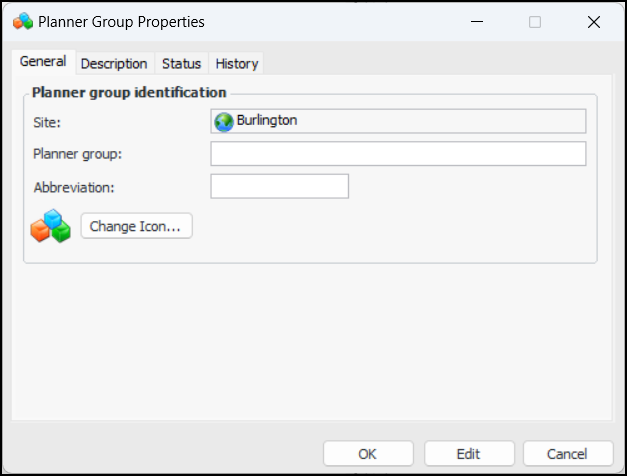
Select the Planner Groups tab and click New. The Planner Group Properties dialog appears:
3.
4.
To change the icon that will appear on planner groups, click Change Icon, select a different graphic, and click OK.
5.
Select the Description tab to enter more information about the group.
The History tab provides information about the creation and updates of the solution package type.
6.
Click OK to close the dialog. The groups is added to the Planner Groups tab.