|
Setting up the Organizational Chart
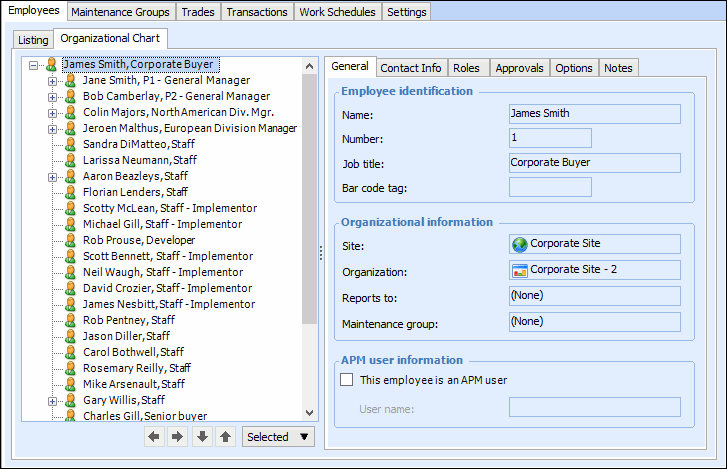
The employees at a site can be organized into a hierarchical structure that represents the reporting structure in the company. In Personnel Management settings, you can identify the top employee in the organizational chart. In the site’s Personnel view, you can adjust the employee hierarchy.To Set the Top Employee in the Chart
1.
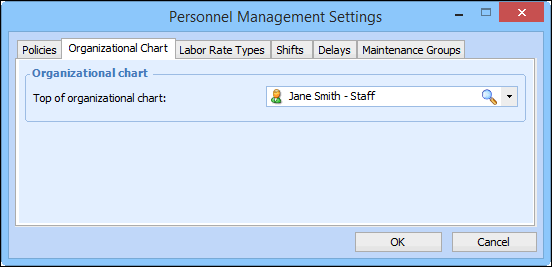
2. Select the Organizational Chart tab.
3. In the Top of organizational chart list, select the employee who will appear at the top of the organization. Browse to open the Employee Selector dialog.Tip: You can also add employees to APM using the selector dialog. Click the Organizational Chart tab to view the hierarchy.To Modify the Organizational Chart
1.
3. To remove an employee from the chart, right-click the employee, and thens select Remove from Hierarchy.
4. You can also use the Selected list to add a child or peer employee, insert an existing employee into the chart, or change an employee’s parent in the hierarchy.