
|
Setting the Numbering Format for Inspection Reports
To Set the Numbering Format for Inspection Reports
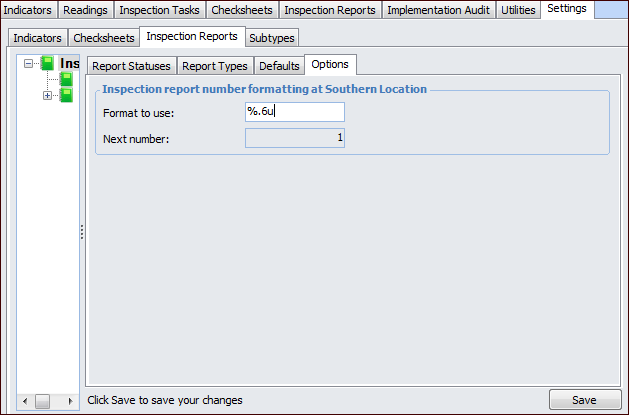
1. From the Site window, select the Inspection Management view, the Settings tab, and then the Inspection Reports tab. Select the Inspection Report Settings node in the tree.Tip: You can also click the Administration menu, Inspection Management Settings, and then Inspection Report Settings. The Inspection Report Settings window appears.
2. Select the Options tab.
3.
For example, a format that says “%.6u” would generate six-digit numbers padded with zeros: 001234.
• % indicates the start of the number definition.
• .6 indicates that the numbers should have six digits. Numbers with less than six digits will be padded with zeros.
• u indicates that the number is an unsigned integer (that is, it cannot be a negative number).
5. Click Save.