
|
Setting Acknowledgment Defaults for New Alarm States
To Set Acknowledgment Defaults for New Alarm States
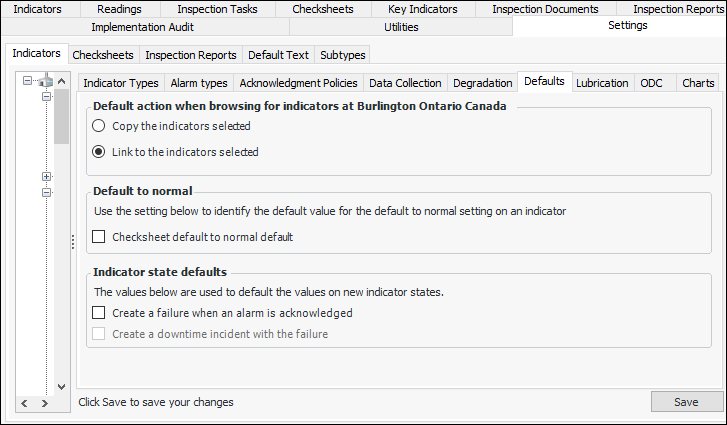
1. From the Site window, select the Inspection Management view, the Settings tab, and then the Indicators tab. Select the Indicator Settings node in the tree.Tip: You can also click the Administration menu, Inspection Management Settings, and then Indicator Management. The Indicator Settings window appears.
2. Select the Defaults tab.
3.
4. In the Indicator state defaults area, select the appropriate options:
5. Click Save.