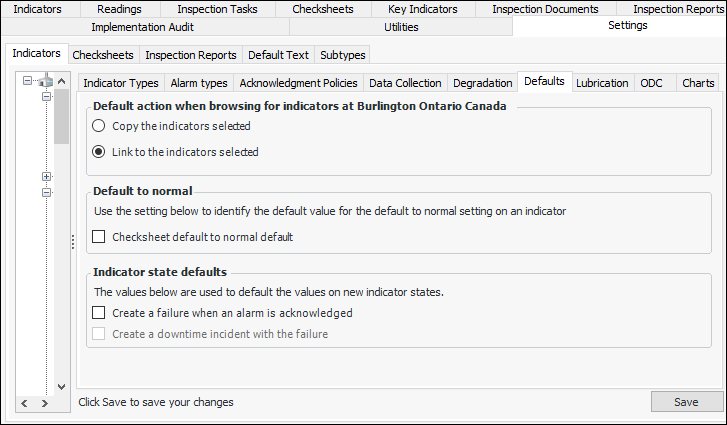
Setting the Default Value for Default to Normal on Descriptive Indicators

You can have the Default to Normal is allowed for this indicator option set to “True” by default on new descriptive indicators and indicator templates.
On new descriptive indicators and templates, the States and Alarms tab shows the result:
The setting is copied to indicators based on the template, and checksheet readings have the Default to Normal option available.

To Have Default to Normal Selected by Default

1.
From the Site window, select the Inspection Management view, the Settings tab, and then the Indicators tab. Select the Indicator Settings node in the tree.
Tip: You can also click the Administration menu, Inspection Management Settings, and then Indicator Management. The Indicator Settings window appears.
2.
Select the Defaults tab.
3.
Click Edit to modify the site settings. The Edit button is replaced by the Save button.
4.
In the Default to normal area, select the option if appropriate:
When this option is selected, the Default to Normal is allowed for this indicator option is selected by default on new descriptive indicators and templates. The Default to Normal option is available in checksheet readings.
5.
Click Save.