|
Setting up Fluid Contaminants
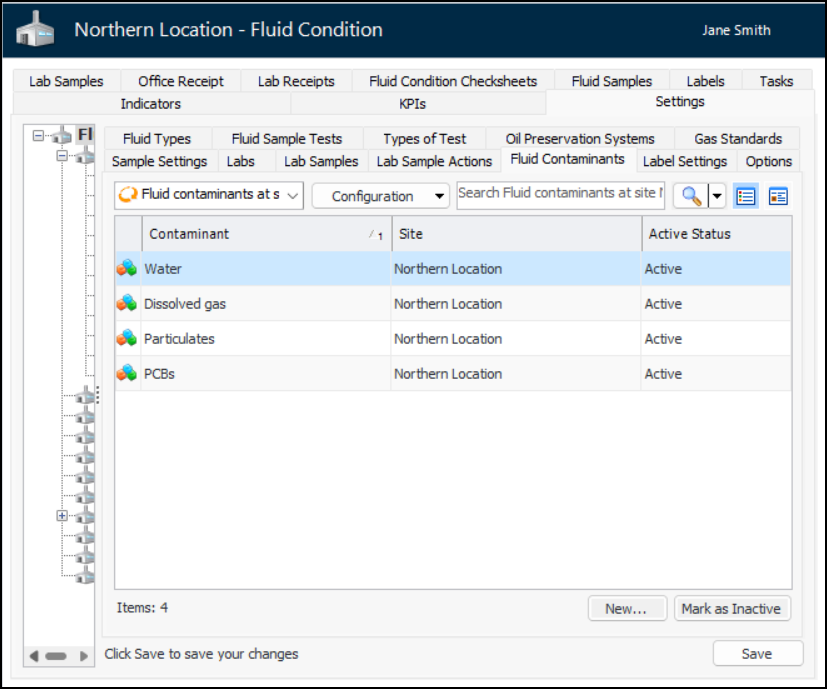
1. From the Site window, select the Fluid Condition view, Settings tab. Select the Fluid Condition Settings node in the tree.Tip: You can also click the Administration menu and Fluid Condition Settings. The Fluid Condition Settings dialog appears.
2. Select the Fluid Contaminants tab. This tab lists contaminants defined for the site.
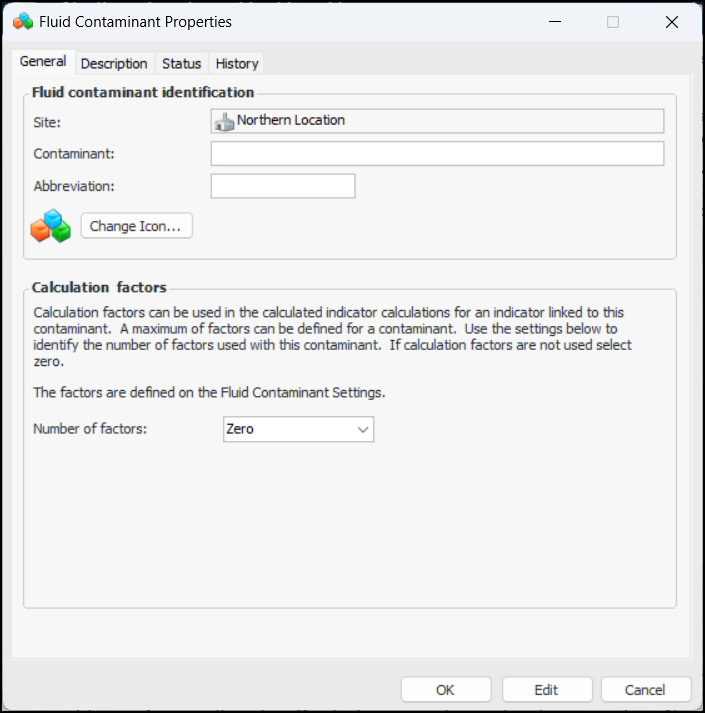
3. Click New. The Fluid Contaminant Properties dialog appears:
6. If you wish to change the graphic that identifies the contaminant in tables and charts, click Change Icon, select a different icon, and click OK.
7. In the Calculation factors area, select the number of factors to support. The maximum is four. The factors are used in calculated indicators that reference the contaminant.
9. Select the Description tab to add more information.
10. Click OK to close the Fluid Contaminant Properties dialog. The contaminant is added to the Fluid Contaminants table.