
|
Setting up Downtime and Work Delay Reasons
To Set up Downtime and Work Delay Reasons
1. From the Site window, select the Performance Management view, Settings tab. Select the Downtime tab and the Downtime management settings node in the tree.Tip: You can also click the Administration menu, Performance Management Settings, and then Downtime Management. The Downtime Management Settings dialog appears.
2. Select the Downtime Reasons tab. This tab shows a list of the current reasons for work delay or for downtime.
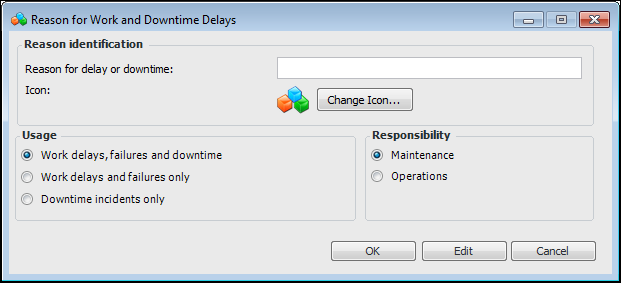
3. Click New. The Reason for Work and Downtime Delays dialog appears.
• Work delays, failures and downtime: This reason will be available to users reporting work delays, equipment failures, or downtime incidents.
• Work delays and failures only: This reason will only be available to users reporting work delays or equipment failures.
• Downtime incidents only: This reason will only be available to users reporting downtime incidents.
5. Click OK.