Allowing Overlapping Downtime Incidents

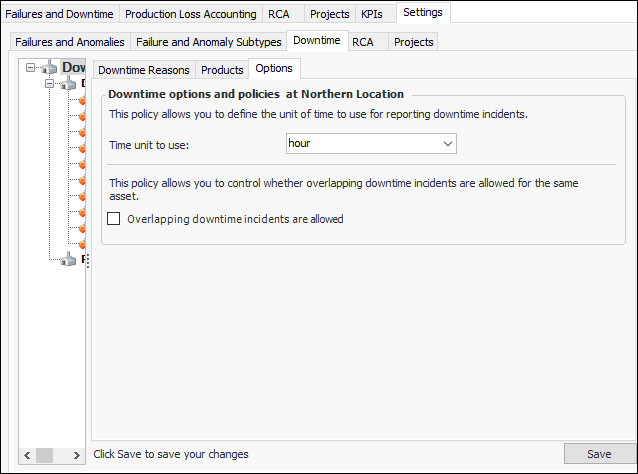
Downtime settings provide an option to support overlapping incidents for the current site. When this option is enabled, one asset can have two or more downtime incidents at the same time. This is handy, for example, when an asset produces more than one product and one production line closes down before another.
To enable the option, select the site’s Performance Management view, Settings tab, Downtime tab, and Options tab. Click Edit to change the site settings.

To Allow Overlapping Downtime

1.
From the Site window, select the Performance Management view, Settings tab. Select the Downtime tab and the Downtime management settings node in the tree.
Tip: You can also click the Administration menu, Performance Management Settings, and then Downtime Management. The Downtime Management Settings dialog appears.
2.
Select the Options tab.
3.
Click Edit to modify the site settings. The Edit button is replaced by the Save button.
4.
Select Overlapping downtime incidents are allowed.
5.
Click Save.