
Selecting a Default Time Unit for Downtime

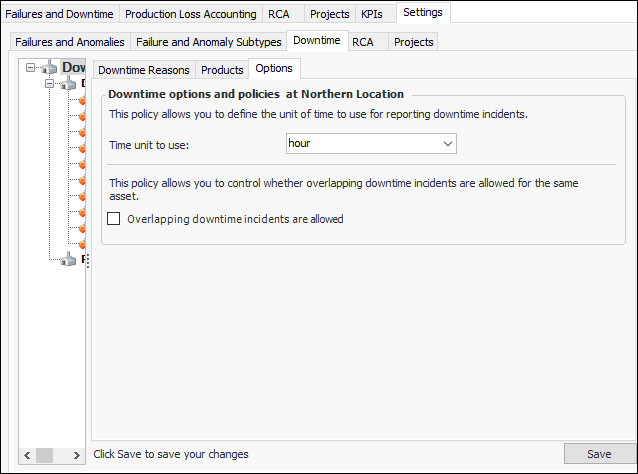
You can specify a time unit for downtime incidents on the current site. The default will be set whenever a downtime incident is reported.
Note: Do not alter the setting from its initial value if there are remaining downtime instances to be recorded for a failure. Otherwise, Lost Production by Reason charts will display unexpected results.

To Select a Default Time Unit for Downtime
1.
From the Site window, select the Performance Management view, Settings tab. Select the Downtime tab and the Downtime management settings node in the tree.
Tip: You can also click the Administration menu, Performance Management Settings, and then Downtime Management. The Downtime Management Settings dialog appears.
2.
Select the Options tab.
3.
Click Edit to modify the site settings. The Edit button is replaced by the Save button.
4.
5.
Click Save.